- Feature Test คืออะไร?
- Unit Test กับ Feature Test ต่างกันอย่างไร?
- โครงสร้าง Test ของ Laravel
- การสร้าง Feature Test
- การสร้าง Feature Test แรก
- แนวคิด Arrange, Act, Assert
- การทำ Feature Test กับ REST API
- การทดสอบ POST API
- การตรวจสอบ Database
- การใช้ RefreshDatabase
- การใช้ Model Factory
- การทดสอบ Validation
- การทดสอบ Authentication
- การทดสอบ Update
- การทดสอบ Delete
- ตัวอย่าง CRUD Feature Test แบบสมบูรณ์
- การรัน Feature Test
- Feature Test ควรทดสอบอะไรบ้าง?
- Best Practices
- สรุป
การทดสอบซอฟต์แวร์เป็นส่วนสำคัญของการพัฒนา Web Application เพราะช่วยตรวจสอบว่าระบบยังคงทำงานถูกต้องหลังจากเพิ่ม Feature ใหม่ แก้ไข Bug หรือ Refactor Code
Laravel มีเครื่องมือสำหรับ Automated Testing มาให้พร้อมใช้งาน โดยการทดสอบที่พบได้บ่อยแบ่งเป็น Unit Test และ Feature Test
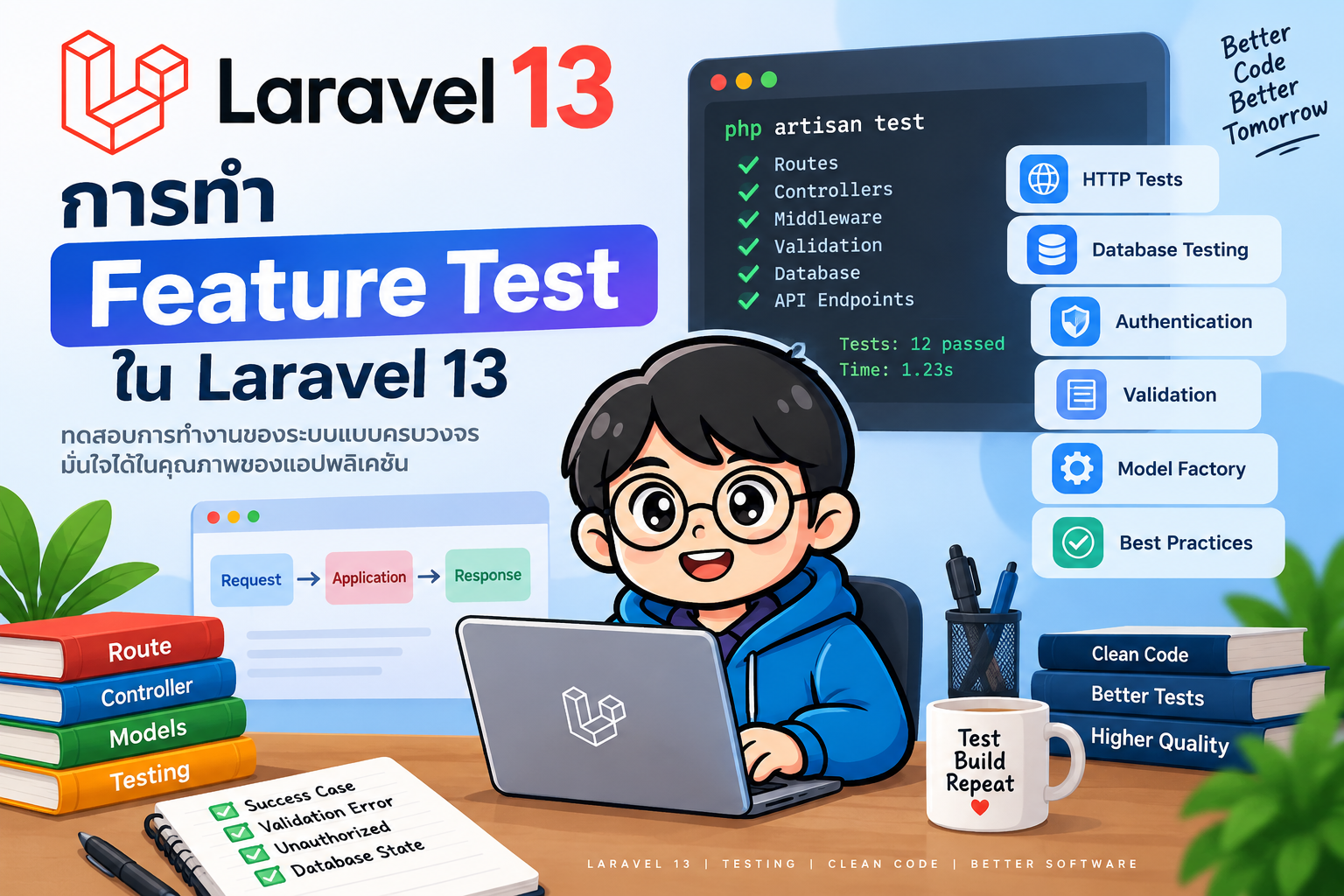
บทความนี้จะเน้น Feature Test ใน Laravel 13 ตั้งแต่การสร้าง Test การทดสอบ Route และ REST API ไปจนถึง Validation, Authentication และ Database
#Feature Test คืออะไร?
Feature Test คือการทดสอบพฤติกรรมของระบบที่อาจเกี่ยวข้องกับหลาย Component พร้อมกัน เช่น
HTTP Request
     │
     ▼
   Route
     │
     ▼
 Middleware
     │
     ▼
 Validation
     │
     ▼
 Controller
     │
     ▼
 Service / Model
     │
     ▼
  Database
     │
     ▼
HTTP Response
ตัวอย่างเช่น การทดสอบ API สำหรับสร้างสินค้า
POST /api/products
        ↓
Validation
        ↓
ProductController
        ↓
Product Model
        ↓
Database
        ↓
201 Created
Feature Test สามารถตรวจสอบได้ทั้ง HTTP Status, JSON Response และข้อมูลที่ถูกบันทึกลง Database
#Unit Test กับ Feature Test ต่างกันอย่างไร?
หัวข้อ Unit Test Feature Test
เป้าหมาย ทดสอบหน่วยย่อย ทดสอบพฤติกรรมของ Feature ตัวอย่าง Method, Class, Service Route, API, Authentication Database มักหลีกเลี่ยง สามารถใช้งานได้ HTTP Request ไม่เน้น ใช้งานบ่อย Integration ต่ำ สูงกว่า ความเร็ว เร็ว ช้ากว่า Unit Test
โดยทั่วไป ถ้าต้องการตรวจสอบว่า API หรือ Web Application ทำงานถูกต้องตั้งแต่ Request จนถึง Response ควรใช้ Feature Test
#โครงสร้าง Test ของ Laravel
Laravel จัดเก็บ Test ไว้ภายในโฟลเดอร์ tests
tests/
├── Feature/
│   └── ExampleTest.php
└── Unit/
    └── ExampleTest.php
Feature Test ควรเก็บไว้ใน
tests/Feature/
#การสร้าง Feature Test
ใช้ Artisan Command
php artisan make:test ProductTest
Laravel จะสร้างไฟล์
tests/Feature/ProductTest.php
หากต้องการสร้าง Unit Test จึงใช้ --unit
php artisan make:test ProductServiceTest --unit
#การสร้าง Feature Test แรก
สมมติมี Route
use Illuminate\Support\Facades\Route;

Route::get('/hello', function () {
    return 'Hello Laravel';
});
สร้าง Test
php artisan make:test HelloTest
แก้ไข tests/Feature/HelloTest.php
<?php

namespace Tests\Feature;

use Tests\TestCase;

class HelloTest extends TestCase
{
    public function test_hello_page_can_be_accessed(): void
    {
        $response = $this->get('/hello');

        $response->assertStatus(200);
        $response->assertSee('Hello Laravel');
    }
}
Test นี้ส่ง HTTP GET Request ไปยัง /hello และตรวจสอบว่า Response มี Status
Code 200 และมีข้อความ Hello Laravel
สามารถเขียน HTTP 200 ให้กระชับขึ้นด้วย
$response->assertOk();
#แนวคิด Arrange, Act, Assert
Test ที่อ่านง่ายควรจัดโครงสร้างตามแนวคิด AAA
Arrange
   ↓
Act
   ↓
Assert
ตัวอย่าง
public function test_home_page_can_be_accessed(): void
{
    // Arrange
    // เตรียมข้อมูลที่จำเป็น

    // Act
    $response = $this->get('/');

    // Assert
    $response->assertOk();
}
#การทำ Feature Test กับ REST API
สมมติระบบมี API
GET    /api/products
POST   /api/products
GET    /api/products/{id}
PUT    /api/products/{id}
DELETE /api/products/{id}
สร้าง Test
php artisan make:test ProductApiTest
#ทดสอบ GET API
public function test_can_get_products(): void
{
    $response = $this->getJson('/api/products');

    $response->assertOk();
}
getJson() เหมาะสำหรับการทดสอบ JSON API
สามารถตรวจสอบโครงสร้าง JSON ได้
$response->assertJsonStructure([
    'data'
]);
หาก Response เป็นรายการสินค้า
$response->assertJsonStructure([
    'data' => [
        '*' => [
            'id',
            'name',
            'price'
        ]
    ]
]);
#การทดสอบ POST API
สมมติ API รับข้อมูล
{
    "name": "MacBook Pro",
    "price": 75000
}
เขียน Test
public function test_can_create_product(): void
{
    $response = $this->postJson('/api/products', [
        'name' => 'MacBook Pro',
        'price' => 75000,
    ]);

    $response->assertStatus(201);

    $response->assertJson([
        'name' => 'MacBook Pro',
        'price' => 75000,
    ]);
}
#การตรวจสอบ Database
Feature Test สามารถตรวจสอบได้ว่าข้อมูลถูกบันทึกจริงหรือไม่ด้วย
assertDatabaseHas()
$this->assertDatabaseHas('products', [
    'name' => 'MacBook Pro',
    'price' => 75000,
]);
ตัวอย่าง
public function test_can_create_product(): void
{
    $response = $this->postJson('/api/products', [
        'name' => 'MacBook Pro',
        'price' => 75000,
    ]);

    $response->assertStatus(201);

    $this->assertDatabaseHas('products', [
        'name' => 'MacBook Pro',
    ]);
}
#การใช้ RefreshDatabase
เพื่อป้องกันข้อมูลจาก Test หนึ่งส่งผลกระทบต่อ Test อื่น สามารถใช้ Trait
use Illuminate\Foundation\Testing\RefreshDatabase;
แล้วเพิ่มใน Test Class
class ProductApiTest extends TestCase
{
    use RefreshDatabase;
}
ตัวอย่าง
<?php

namespace Tests\Feature;

use Illuminate\Foundation\Testing\RefreshDatabase;
use Tests\TestCase;

class ProductApiTest extends TestCase
{
    use RefreshDatabase;

    public function test_can_create_product(): void
    {
        $response = $this->postJson('/api/products', [
            'name' => 'iPhone',
            'price' => 35000,
        ]);

        $response->assertStatus(201);

        $this->assertDatabaseHas('products', [
            'name' => 'iPhone',
        ]);
    }
}
#การใช้ Model Factory
Model Factory ช่วยสร้าง Test Data ได้สะดวก
$product = Product::factory()->create();
สร้างหลายรายการ
Product::factory()
    ->count(10)
    ->create();
ตัวอย่าง
public function test_can_get_all_products(): void
{
    Product::factory()->count(10)->create();

    $response = $this->getJson('/api/products');

    $response->assertOk();

    $response->assertJsonCount(10, 'data');
}
#การทดสอบ Validation
สมมติกำหนด Validation
$request->validate([
    'name' => ['required'],
    'price' => ['required', 'numeric'],
]);
ทดสอบกรณีไม่ส่ง name
public function test_product_name_is_required(): void
{
    $response = $this->postJson('/api/products', [
        'price' => 1000,
    ]);

    $response->assertStatus(422);

    $response->assertJsonValidationErrors([
        'name'
    ]);
}
ตรวจสอบหลาย Field
$response->assertJsonValidationErrors([
    'name',
    'price',
]);
จึงควรมีทั้ง Happy Path และ Negative Test
#การทดสอบ Authentication
สมมติ API ถูกป้องกันด้วย Authentication Middleware
Route::middleware('auth:sanctum')
    ->post('/products', [ProductController::class, 'store']);
สามารถสร้าง User ด้วย Factory
$user = User::factory()->create();
แล้วจำลอง User ที่ Login ด้วย
$this->actingAs($user);
ตัวอย่าง
public function test_authenticated_user_can_create_product(): void
{
    $user = User::factory()->create();

    $response = $this
        ->actingAs($user)
        ->postJson('/api/products', [
            'name' => 'iPad',
            'price' => 20000,
        ]);

    $response->assertStatus(201);
}
ควรทดสอบกรณี Guest ด้วย
public function test_guest_cannot_create_product(): void
{
    $response = $this->postJson('/api/products', [
        'name' => 'iPad',
        'price' => 20000,
    ]);

    $response->assertUnauthorized();
}
#การทดสอบ Update
public function test_can_update_product(): void
{
    $product = Product::factory()->create([
        'name' => 'Old Name',
    ]);

    $response = $this->putJson(
        "/api/products/{$product->id}",
        [
            'name' => 'New Name',
            'price' => 50000,
        ]
    );

    $response->assertOk();

    $this->assertDatabaseHas('products', [
        'id' => $product->id,
        'name' => 'New Name',
    ]);
}
#การทดสอบ Delete
public function test_can_delete_product(): void
{
    $product = Product::factory()->create();

    $response = $this->deleteJson(
        "/api/products/{$product->id}"
    );

    $response->assertNoContent();

    $this->assertDatabaseMissing('products', [
        'id' => $product->id,
    ]);
}
#ตัวอย่าง CRUD Feature Test แบบสมบูรณ์
<?php

namespace Tests\Feature;

use App\Models\Product;
use Illuminate\Foundation\Testing\RefreshDatabase;
use Tests\TestCase;

class ProductApiTest extends TestCase
{
    use RefreshDatabase;

    public function test_can_get_products(): void
    {
        Product::factory()->count(3)->create();

        $response = $this->getJson('/api/products');

        $response->assertOk();
        $response->assertJsonCount(3, 'data');
    }

    public function test_can_create_product(): void
    {
        $response = $this->postJson('/api/products', [
            'name' => 'MacBook Pro',
            'price' => 75000,
        ]);

        $response->assertStatus(201);

        $this->assertDatabaseHas('products', [
            'name' => 'MacBook Pro',
        ]);
    }

    public function test_name_is_required(): void
    {
        $response = $this->postJson('/api/products', [
            'price' => 75000,
        ]);

        $response->assertStatus(422);
        $response->assertJsonValidationErrors('name');
    }

    public function test_can_update_product(): void
    {
        $product = Product::factory()->create();

        $response = $this->putJson(
            "/api/products/{$product->id}",
            [
                'name' => 'Updated Product',
                'price' => 50000,
            ]
        );

        $response->assertOk();

        $this->assertDatabaseHas('products', [
            'id' => $product->id,
            'name' => 'Updated Product',
        ]);
    }

    public function test_can_delete_product(): void
    {
        $product = Product::factory()->create();

        $response = $this->deleteJson(
            "/api/products/{$product->id}"
        );

        $response->assertNoContent();

        $this->assertDatabaseMissing('products', [
            'id' => $product->id,
        ]);
    }
}
#การรัน Feature Test
รัน Test ทั้งหมด
php artisan test
รันเฉพาะ Feature Test
php artisan test tests/Feature
รันเฉพาะไฟล์
php artisan test tests/Feature/ProductApiTest.php
รันโดยใช้ Filter
php artisan test --filter=ProductApiTest
หรือเฉพาะ Test Method
php artisan test --filter=test_can_create_product
#Feature Test ควรทดสอบอะไรบ้าง?
สำหรับ REST API ควรพิจารณาอย่างน้อย
Test Scenario ตัวอย่าง
Success สร้างข้อมูลสำเร็จ Validation ข้อมูลไม่ครบหรือรูปแบบไม่ถูกต้อง Authentication User ยังไม่ได้ Login Authorization User ไม่มีสิทธิ์ Not Found Resource ไม่มีอยู่ Database ข้อมูลถูกเพิ่ม/แก้ไข/ลบจริง JSON Response Response มีข้อมูลและโครงสร้างถูกต้อง
ตัวอย่าง Flow
Feature Test
    │
    ├── Happy Path
    │
    ├── Validation
    │
    ├── Authentication
    │
    ├── Authorization
    │
    ├── Not Found
    │
    └── Database State
#Best Practices
ควรตั้งชื่อ Test ให้สื่อถึงพฤติกรรม เช่น
test_authenticated_user_can_create_product()
แทนชื่อที่ไม่สื่อความหมาย เช่น
test_product()
ใช้ Factory สำหรับ Test Data
Product::factory()->create();
ใช้ RefreshDatabase เมื่อ Test ทำงานกับ Database
use RefreshDatabase;
ตรวจสอบทั้ง Response และ Database State เมื่อเหมาะสม
$response->assertStatus(201);

$this->assertDatabaseHas('products', [
    'name' => 'MacBook Pro',
]);
และ Test แต่ละตัวควรทำงานได้อย่างเป็นอิสระ ไม่ควรพึ่งข้อมูลที่ Test ก่อนหน้าสร้างไว้
#สรุป
Feature Test ใน Laravel 13 เหมาะสำหรับตรวจสอบพฤติกรรมของ Web Application หรือ REST API แบบหลาย Component ทำงานร่วมกัน ตั้งแต่ HTTP Request ผ่าน Route, Middleware, Validation, Controller และ Model ไปจนถึง Database และ HTTP Response
Workflow ที่ควรจำคือ
Arrange
   ↓
Act
   ↓
Assert
และสำหรับ API ควรครอบคลุม
Success
Validation
Authentication
Authorization
Not Found
Database State
JSON Response
เมื่อใช้ Feature Test ร่วมกับ Model Factory, RefreshDatabase และการรัน
Test ผ่าน php artisan test จะช่วยสร้าง Automated Test Suite ที่ตรวจสอบ
Regression ได้อย่างมีประสิทธิภาพ และสามารถนำไปต่อยอดกับ CI/CD เช่น GitHub
Actions ได้
#เอกสารอ้างอิง
- Laravel Documentation --- Testing: https://laravel.com/docs/13.x/testing
- Laravel Documentation --- HTTP Tests: https://laravel.com/docs/13.x/http-tests
- Laravel Documentation --- Database Testing: https://laravel.com/docs/13.x/database-testing