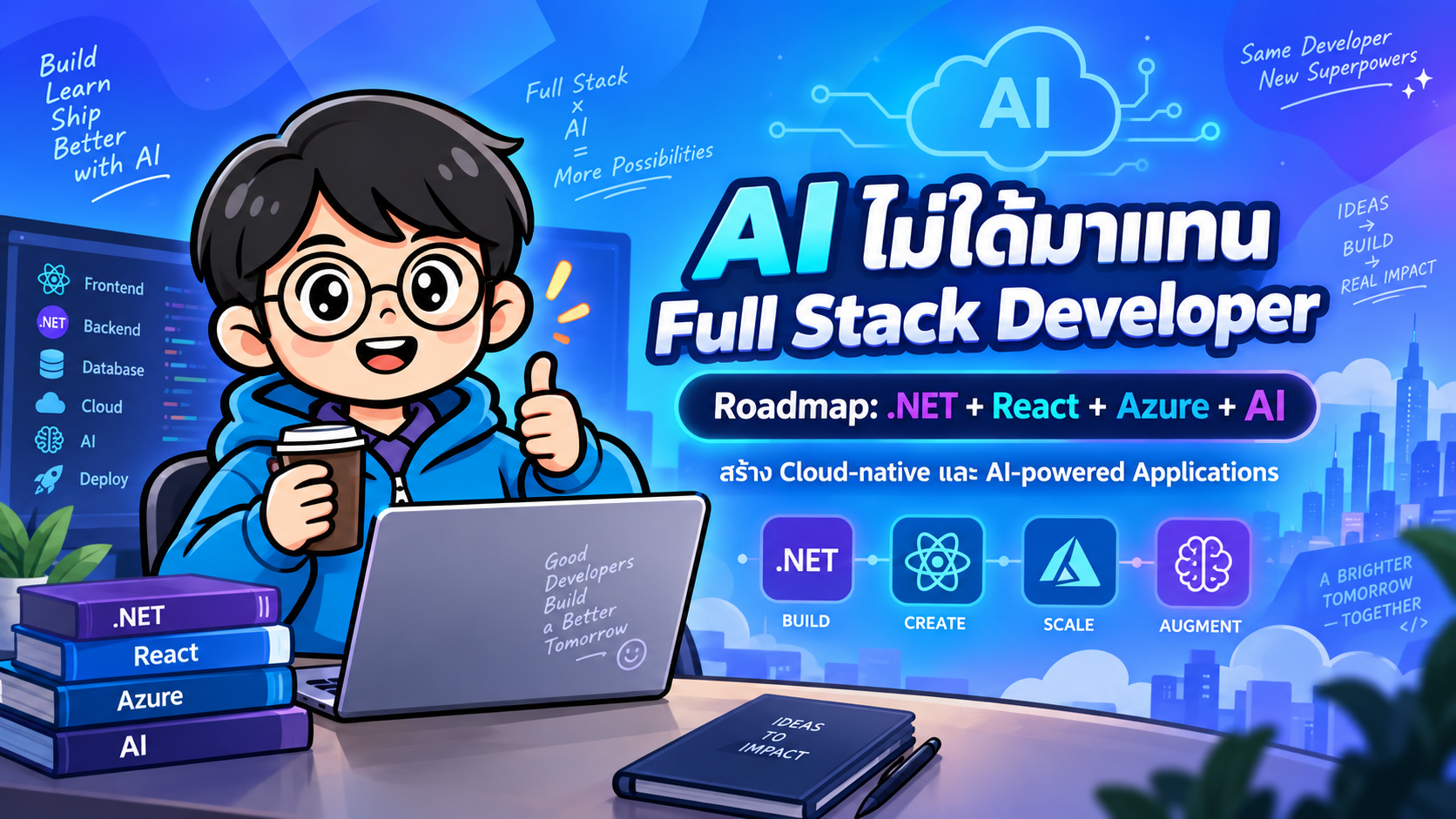
- Full Stack Developer ในยุค AI เปลี่ยนไปอย่างไร
- องค์ประกอบสำคัญของ AI Full Stack Developer
- 1. .NET สำหรับการพัฒนา Backend
- 2. React สำหรับการพัฒนา Frontend
- 3. Azure สำหรับ Cloud Infrastructure
- 4. AI Integration: โอกาสสำคัญของ Full Stack Developer
- Intelligent Business Application คืออะไร
- ทำไมควรเรียนตามลำดับ Fundamentals → Cloud → AI
- ตัวอย่างสถาปัตยกรรม .NET + React + Azure + AI
- Roadmap การเรียนรู้ที่แนะนำ
- ทักษะที่องค์กรต้องการจริง
- สิ่งที่ควรระวัง
- สรุป
AI ไม่ได้ทำให้อาชีพ Full Stack Developer หายไป แต่กำลังเปลี่ยนความหมายของคำว่า Full Stack Developer ให้กว้างและมีความสามารถมากกว่าเดิม
ในอดีต Full Stack Developer อาจหมายถึงนักพัฒนาที่สามารถสร้าง Frontend, Backend และเชื่อมต่อฐานข้อมูลได้ครบถ้วน แต่ในยุคของ Generative AI นักพัฒนาต้องสามารถสร้างระบบที่ไม่ได้เพียงแค่จัดเก็บและแสดงผลข้อมูล แต่ยังสามารถวิเคราะห์ ค้นหา สรุป แนะนำ และดำเนินงานบางอย่างแบบอัตโนมัติได้
หนึ่งในชุดเทคโนโลยีที่มีศักยภาพสูงสำหรับการพัฒนาระบบองค์กรคือ
.NET + React + Azure + AI
เมื่อนำเทคโนโลยีทั้งสี่ส่วนมารวมกัน นักพัฒนาจะสามารถสร้างระบบแบบ Cloud-native, Full Stack และ AI-powered ได้ตั้งแต่ส่วนติดต่อผู้ใช้ ไปจนถึงบริการ Backend, Cloud Infrastructure และความสามารถด้าน AI
บทความนี้จะอธิบาย Roadmap สำหรับนักพัฒนา .NET ที่ต้องการเตรียมตัวเข้าสู่การพัฒนาซอฟต์แวร์ในยุค AI อย่างเป็นระบบ
#Full Stack Developer ในยุค AI เปลี่ยนไปอย่างไร
Full Stack Developer แบบเดิมมักรับผิดชอบงานต่อไปนี้
- ออกแบบและพัฒนาฐานข้อมูล
- สร้าง REST API
- พัฒนา Web Application
- เชื่อมต่อ Frontend กับ Backend
- จัดการ Authentication และ Authorization
- Deploy ระบบขึ้น Server หรือ Cloud
- ตรวจสอบข้อผิดพลาดและบำรุงรักษาระบบ
ทักษะเหล่านี้ยังคงมีความสำคัญ แต่ Full Stack Developer ในยุค AI จะต้องเพิ่มความสามารถในการนำ AI มารวมเข้ากับระบบด้วย เช่น
- สร้าง Chatbot สำหรับองค์กร
- สร้างระบบถาม–ตอบจากเอกสาร
- สรุปรายงานและเอกสารอัตโนมัติ
- วิเคราะห์ความคิดเห็นของลูกค้า
- ค้นหาข้อมูลด้วยความหมาย
- สกัดข้อมูลจาก PDF หรือแบบฟอร์ม
- สร้าง AI Agent ที่สามารถเรียก API
- สร้างระบบแนะนำสินค้า เนื้อหา หรือแนวทางแก้ปัญหา
- เชื่อม AI เข้ากับ Business Workflow
ตัวอย่างเช่น ระบบจัดการเอกสารแบบทั่วไปอาจรองรับเพียงการอัปโหลด จัดหมวดหมู่ ค้นหาชื่อไฟล์ และดาวน์โหลดเอกสาร
เมื่อเพิ่ม AI ระบบเดียวกันสามารถทำงานได้มากขึ้น เช่น
- อ่านข้อความจากเอกสาร
- สกัดข้อมูลสำคัญ
- สรุปเนื้อหา
- เปรียบเทียบเอกสารหลายฉบับ
- ตอบคำถามโดยอ้างอิงจากเอกสาร
- จำแนกประเภทเอกสาร
- ส่งข้อมูลเข้าสู่กระบวนการอนุมัติอัตโนมัติ
นี่คือความแตกต่างระหว่างการสร้างเพียง Application กับการสร้าง Intelligent Product
#องค์ประกอบสำคัญของ AI Full Stack Developer
Roadmap นี้ประกอบด้วยองค์ความรู้หลักสี่ส่วน ได้แก่
- .NET สำหรับ Backend
- React สำหรับ Frontend
- Azure สำหรับ Cloud Infrastructure
- AI Integration สำหรับความสามารถเชิงอัจฉริยะ
#1. .NET สำหรับการพัฒนา Backend
.NET เป็นแพลตฟอร์มที่มีความแข็งแรงสำหรับพัฒนา Web API, Enterprise Application, Microservices, Background Processing และ Cloud Services
สำหรับนักพัฒนาที่ต้องการสร้างระบบ AI แบบครบวงจร ควรมีพื้นฐาน .NET ที่ดี เพราะ Backend จะเป็นส่วนที่จัดการ Business Logic, Security, Data Access และการเชื่อมต่อกับ AI Model
#ASP.NET Core
ASP.NET Core เป็น Framework หลักสำหรับพัฒนา Web Application และ Web API ด้วยภาษา C#
สามารถนำไปใช้สร้างระบบประเภทต่าง ๆ เช่น
- REST API
- Web Application
- Backend for Frontend
- Microservices
- Real-time Application
- Enterprise System
- AI Service
- Document Processing Service
จุดเด่นของ ASP.NET Core ได้แก่
- ประสิทธิภาพสูง
- รองรับหลายระบบปฏิบัติการ
- มี Dependency Injection ในตัว
- รองรับ Middleware
- เชื่อมต่อกับ Azure ได้ดี
- รองรับ Docker และ Kubernetes
- รองรับ OpenAPI และ Swagger
- มีระบบ Authentication และ Authorization ที่ครบถ้วน
ตัวอย่าง Minimal API อย่างง่าย:
var builder = WebApplication.CreateBuilder(args);
var app = builder.Build();

app.MapGet("/api/products", () =>
{
    return Results.Ok(new[]
    {
        new { Id = 1, Name = "Laptop" },
        new { Id = 2, Name = "Monitor" }
    });
});

app.Run();
Minimal API เหมาะกับ Microservices, Internal API, Prototype และ AI inference endpoint ที่ไม่ต้องการโครงสร้างซับซ้อนมากเกินไป
#Clean Architecture
Clean Architecture เป็นแนวทางการออกแบบระบบที่แยก Business Logic ออกจาก Framework, Database และ External Services
โครงสร้างทั่วไปอาจแบ่งได้ดังนี้
Application
├── Domain
├── Application
├── Infrastructure
└── WebApi
#Domain Layer
ใช้เก็บองค์ประกอบหลักทางธุรกิจ เช่น
- Entity
- Value Object
- Business Rule
- Domain Event
#Application Layer
ใช้เก็บ Use Case และกระบวนการทำงานของระบบ เช่น
- CreateOrder
- ApproveDocument
- GenerateInvoice
- SearchKnowledgeBase
- ProcessUploadedFile
#Infrastructure Layer
ใช้เชื่อมต่อกับระบบภายนอก เช่น
- Database
- Entity Framework Core
- Azure Blob Storage
- Azure Service Bus
- Azure OpenAI
- Vector Database
- Email Service
#Web API Layer
ใช้รับ HTTP Request และส่ง Response ให้กับ Frontend หรือระบบภายนอก
ข้อดีของ Clean Architecture คือช่วยให้ระบบทดสอบง่าย ลดการผูกติดกับ Framework และสามารถเปลี่ยน AI Provider หรือฐานข้อมูลได้สะดวกขึ้น
อย่างไรก็ตาม ไม่ควรใช้ Architecture ที่ซับซ้อนเกินความจำเป็นกับระบบขนาดเล็ก ควรเลือกใช้ให้เหมาะสมกับขนาดและอายุของโครงการ
#Entity Framework Core
Entity Framework Core หรือ EF Core เป็น Object-Relational Mapper สำหรับจัดการฐานข้อมูลผ่านภาษา C#
ตัวอย่างการค้นหาข้อมูลด้วย LINQ:
var activeUsers = await dbContext.Users
    .AsNoTracking()
    .Where(user => user.IsActive)
    .OrderBy(user => user.Name)
    .ToListAsync();
หัวข้อที่ควรศึกษา ได้แก่
- DbContext
- Entity Relationships
- Migrations
- LINQ
- Tracking และ No Tracking
- Transactions
- Concurrency
- Indexes
- Query Optimization
- Raw SQL
สำหรับระบบ Production ต้องระวังปัญหาที่พบบ่อย เช่น
- N+1 Query
- ดึงข้อมูลมากเกินความจำเป็น
- ไม่ใช้ Pagination
- ไม่สร้าง Database Index
- ใช้
Include()จำนวนมากเกินไป - ใช้ Change Tracking กับข้อมูลแบบ Read-only
#Authentication และ Authorization
Authentication คือกระบวนการตรวจสอบว่า “ผู้ใช้คือใคร”
Authorization คือกระบวนการตรวจสอบว่า “ผู้ใช้มีสิทธิ์ทำอะไร”
เทคโนโลยีที่ควรศึกษา ได้แก่
- JWT
- Cookie Authentication
- OAuth 2.0
- OpenID Connect
- Microsoft Entra ID
- Role-based Authorization
- Claims-based Authorization
- Policy-based Authorization
ตัวอย่างการกำหนด Policy:
builder.Services.AddAuthorization(options =>
{
    options.AddPolicy("CanApproveDocument", policy =>
    {
        policy.RequireClaim("permission", "document.approve");
    });
});
ระบบ AI ยิ่งต้องให้ความสำคัญกับ Authorization เนื่องจาก AI Assistant หรือ AI Agent อาจเข้าถึงข้อมูล เรียก API หรือดำเนินงานแทนผู้ใช้ได้
AI ต้องมองเห็นเฉพาะข้อมูลที่ผู้ใช้คนนั้นมีสิทธิ์เข้าถึงเท่านั้น
#Caching
Caching ช่วยลดเวลาในการตอบสนอง ลดภาระฐานข้อมูล และลดค่าใช้จ่ายในการเรียก External API หรือ AI Model
ข้อมูลที่เหมาะสำหรับการ Cache ได้แก่
- Configuration
- Product Catalog
- User Permissions
- Search Results
- Embedding ที่เคยสร้างแล้ว
- ผลลัพธ์ AI สำหรับคำถามที่ซ้ำกัน
- Metadata ของเอกสาร
เครื่องมือที่นิยมใช้ ได้แก่
- In-memory Cache
- Distributed Cache
- Redis
- Output Caching
อย่างไรก็ตาม ต้องมีแผนจัดการเรื่อง Cache Expiration และ Cache Invalidation อย่างชัดเจน เพื่อป้องกันไม่ให้ระบบแสดงข้อมูลเก่า
#Background Services
งานบางประเภทไม่ควรทำภายใน HTTP Request โดยตรง เพราะอาจใช้เวลานานและทำให้ผู้ใช้ต้องรอ
ตัวอย่างงานที่เหมาะกับ Background Processing ได้แก่
- ส่งอีเมล
- ประมวลผลเอกสาร
- สร้าง Embedding
- สรุปรายงาน
- Sync ข้อมูล
- วิเคราะห์เอกสารด้วย AI
- สร้างไฟล์ PDF
- ประมวลผลข้อมูลจำนวนมาก
ใน .NET สามารถใช้ BackgroundService ได้ดังนี้
public class DocumentProcessingWorker : BackgroundService
{
    protected override async Task ExecuteAsync(
        CancellationToken stoppingToken)
    {
        while (!stoppingToken.IsCancellationRequested)
        {
            await ProcessPendingDocuments(stoppingToken);

            await Task.Delay(
                TimeSpan.FromSeconds(10),
                stoppingToken);
        }
    }
}
สำหรับ Production System อาจใช้งานร่วมกับ
- Azure Service Bus
- RabbitMQ
- Hangfire
- Azure Functions
- Durable Functions
#Microservices
Microservices คือการแบ่งระบบออกเป็นบริการขนาดเล็กตามขอบเขตทางธุรกิจ เช่น
- Identity Service
- Product Service
- Order Service
- Notification Service
- Document Processing Service
- AI Assistant Service
ข้อดีของ Microservices คือสามารถ Scale และ Deploy แต่ละ Service แยกกันได้
อย่างไรก็ตาม Microservices เพิ่มความซับซ้อนหลายด้าน เช่น
- Distributed Transaction
- Network Failure
- Service Communication
- Observability
- API Versioning
- Message Broker
- Deployment Management
ดังนั้นโครงการใหม่ไม่จำเป็นต้องเริ่มจาก Microservices เสมอไป
สำหรับระบบจำนวนมาก การเริ่มจาก Modular Monolith แล้วค่อยแยก Service เมื่อมีเหตุผลทางธุรกิจหรือการ Scale ที่ชัดเจน อาจเป็นแนวทางที่เหมาะสมกว่า
#2. React สำหรับการพัฒนา Frontend
React เป็น Library สำหรับสร้าง User Interface ที่สามารถตอบสนองและโต้ตอบกับผู้ใช้ได้อย่างมีประสิทธิภาพ
นักพัฒนาควรเรียนมากกว่าการสร้าง Component เพราะระบบจริงต้องจัดการ State, Routing, Forms, Server Data, Error Handling และ Performance
#React Fundamentals
หัวข้อพื้นฐานที่ควรเข้าใจ ได้แก่
- Components
- Props
- State
- Hooks
- Event Handling
- Conditional Rendering
- List Rendering
- Component Composition
ตัวอย่าง React Component ด้วย TypeScript:
type ProductProps = {
  name: string;
  price: number;
};

export function ProductCard({ name, price }: ProductProps) {
  return (
    <article>
      <h2>{name}</h2>
      <p>{price.toLocaleString()} บาท</p>
    </article>
  );
}
#TypeScript
TypeScript เพิ่ม Type Safety ให้ JavaScript และช่วยลดข้อผิดพลาดในระบบขนาดใหญ่
interface User {
  id: number;
  name: string;
  email: string;
  roles: string[];
}
ประโยชน์ของ TypeScript ได้แก่
- ตรวจพบข้อผิดพลาดก่อน Runtime
- Refactor ได้ปลอดภัยขึ้น
- IDE แนะนำโค้ดได้แม่นยำ
- สื่อสารโครงสร้างข้อมูลระหว่างทีมได้ชัดเจน
- เหมาะกับโครงการที่มีหลาย Developer
สำหรับระบบ .NET และ React ควรพิจารณาสร้าง TypeScript Client จาก OpenAPI Specification เพื่อให้ Frontend และ Backend ใช้ API Contract ชุดเดียวกัน
#Context API
Context API เหมาะกับ State ที่ต้องแชร์ระหว่างหลาย Component เช่น
- Theme
- Current User
- Language
- Authentication State
- Feature Flags
อย่างไรก็ตาม ไม่ควรนำข้อมูลทุกอย่างไปเก็บใน Context เพราะอาจทำให้ Component เกิดการ Re-render มากเกินไป
#Redux Toolkit
Redux Toolkit เหมาะกับการจัดการ Client State ที่มีความซับซ้อน เช่น
- Shopping Cart
- Multi-step Workflow
- Dashboard Filters
- Global UI State
- Complex Editing State
แต่ไม่ควรนำข้อมูลจาก Server ทั้งหมดไปเก็บใน Redux เพราะข้อมูลประเภท Server State เหมาะกับ React Query มากกว่า
#React Query
React Query หรือ TanStack Query ใช้จัดการข้อมูลที่มาจาก Server เช่น
- Fetch API
- Cache
- Retry
- Refetch
- Pagination
- Infinite Scrolling
- Mutation
- Optimistic Update
ตัวอย่าง:
const { data, isLoading, error } = useQuery({
  queryKey: ["products"],
  queryFn: async () => {
    const response = await fetch("/api/products");

    if (!response.ok) {
      throw new Error("Unable to load products");
    }

    return response.json();
  }
});
React Query ช่วยลดโค้ดที่ต้องเขียนเองสำหรับ Loading State, Error State, Cache และ Refetch
#Forms และ Validation
ฟอร์มในระบบจริงอาจประกอบด้วย
- Dynamic Fields
- File Upload
- Multi-step Form
- Conditional Fields
- Client-side Validation
- Server-side Validation
- Error Mapping
เครื่องมือที่นิยมใช้ ได้แก่
- React Hook Form
- Zod
- Yup
ควรทำ Validation ทั้ง Frontend และ Backend
Frontend Validation ช่วยให้ผู้ใช้ได้รับ Feedback อย่างรวดเร็ว แต่ไม่สามารถใช้แทน Server-side Validation ได้ เนื่องจากข้อมูลจาก Client อาจถูกแก้ไขหรือปลอมแปลงได้
#Routing
ระบบ Single Page Application มักมีเส้นทาง เช่น
/login
/dashboard
/products
/products/101
/admin/users
หัวข้อที่ควรเรียน ได้แก่
- Nested Routes
- Protected Routes
- Route Parameters
- Query Strings
- Role-based Navigation
- Lazy Loading
- Error Boundaries
#Performance Optimization
หัวข้อสำคัญสำหรับปรับปรุงประสิทธิภาพ React ได้แก่
React.memouseMemouseCallback- Code Splitting
- Lazy Loading
- Virtualization
- Debouncing
- Bundle Optimization
- Avoiding Unnecessary Re-renders
อย่างไรก็ตาม ไม่ควรใช้ useMemo หรือ useCallback ทุกจุดโดยไม่มีการวัดผล เพราะอาจทำให้โค้ดซับซ้อนขึ้นโดยไม่ได้เพิ่มประสิทธิภาพอย่างชัดเจน
ควรใช้เครื่องมือช่วยวิเคราะห์ เช่น
- React DevTools Profiler
- Lighthouse
- Web Vitals
- Browser Performance Tools
#Tailwind CSS หรือ Bootstrap
Tailwind CSS เหมาะกับระบบที่ต้องการ UI แบบปรับแต่งสูงและต้องการสร้าง Design System ของตนเอง
Bootstrap เหมาะกับระบบที่ต้องการพัฒนา UI อย่างรวดเร็ว เช่น Internal Application และ Admin Dashboard
ไม่ว่าจะเลือกใช้เครื่องมือใด นักพัฒนาควรเข้าใจเรื่องต่อไปนี้ด้วย
- Responsive Design
- Accessibility
- Design Consistency
- Loading State
- Error State
- Empty State
- Form Usability
#3. Azure สำหรับ Cloud Infrastructure
การพัฒนา Application ให้ทำงานบนเครื่อง Developer ได้ยังไม่เพียงพอ
นักพัฒนาต้องสามารถนำระบบขึ้นใช้งานจริง จัดการ Security, Scaling, Monitoring และ Deployment ได้ด้วย
Azure มีบริการจำนวนมากที่เชื่อมต่อกับ .NET ได้อย่างมีประสิทธิภาพ
#Azure App Service
Azure App Service เป็น Platform as a Service สำหรับ Deploy Web Application และ API โดยไม่ต้องดูแล Server โดยตรง
เหมาะกับ
- ASP.NET Core API
- Web Application
- Internal Business System
- Backend Service
ความสามารถสำคัญ ได้แก่
- Auto Scaling
- Deployment Slots
- Custom Domains
- TLS Certificates
- Health Checks
- Logging
- Authentication Integration
#Azure Functions
Azure Functions เป็น Serverless Computing สำหรับงานแบบ Event-driven เช่น
- ประมวลผลไฟล์หลังอัปโหลด
- รับข้อความจาก Queue
- ทำงานตาม Schedule
- รับ Webhook
- สร้าง Embedding
- วิเคราะห์เอกสาร
- ส่ง Notification
สิ่งที่ต้องเข้าใจเพิ่มเติม ได้แก่
- Cold Start
- Execution Timeout
- Retry Policy
- Idempotency
- Stateless Design
#Azure SQL
Azure SQL เป็นบริการฐานข้อมูล SQL Server แบบ Managed Service
หัวข้อที่ควรเรียน ได้แก่
- Database Deployment
- Connection Security
- Firewall Rules
- Backup
- Point-in-time Restore
- Performance Tuning
- Scaling
- High Availability
- Monitoring
#Azure Blob Storage
Azure Blob Storage ใช้เก็บข้อมูลแบบ Object Storage เช่น
- รูปภาพ
- Video
- Backup
- Dataset
- เอกสารสำหรับ RAG
- Log Archive
ในระบบ AI มักใช้ Blob Storage เป็นแหล่งเก็บเอกสารต้นฉบับ ก่อนส่งเข้าสู่กระบวนการต่อไปนี้
Document Upload
      ↓
Text Extraction
      ↓
Chunking
      ↓
Embedding
      ↓
Vector Index
#Azure Key Vault
Azure Key Vault ใช้เก็บข้อมูลสำคัญ เช่น
- API Keys
- Database Credentials
- Certificates
- Encryption Keys
- AI Provider Secrets
ไม่ควรเก็บ Secret ไว้ใน
- Source Code
- Git Repository
- Docker Image
- Frontend Environment Variables ที่ส่งถึง Browser
- Configuration File ที่ไม่มีการป้องกัน
ควรใช้ Managed Identity เมื่อเป็นไปได้ เพื่อให้ Application เข้าถึง Azure Resources โดยไม่ต้องเก็บ Password หรือ Secret โดยตรง
#Azure Service Bus
Azure Service Bus เป็น Message Broker สำหรับการสื่อสารแบบ Asynchronous
เหมาะกับงาน เช่น
- ส่งอีเมล
- ประมวลผลเอกสาร
- สร้างรายงาน
- ประมวลผลคำสั่งซื้อ
- เรียก AI แบบ Background
- กระจายงานไปยัง Worker หลายตัว
แนวคิดสำคัญ ได้แก่
- Queue
- Topic
- Subscription
- Dead-letter Queue
- Retry
- Duplicate Detection
- Idempotent Consumer
#Azure API Management
Azure API Management ทำหน้าที่เป็น API Gateway
ความสามารถสำคัญ ได้แก่
- Authentication
- Rate Limiting
- API Key Management
- Request Transformation
- Response Transformation
- API Versioning
- Analytics
- Caching
- Policy Enforcement
ในระบบ AI สามารถใช้ควบคุม
- จำนวนครั้งในการเรียก Model
- Quota ของผู้ใช้
- API Abuse
- Rate Limit
- Routing ไปยัง Model หรือ Service ที่แตกต่างกัน
#Azure Container Apps
Azure Container Apps เหมาะสำหรับ Deploy Container และ Microservices โดยไม่ต้องดูแล Kubernetes Cluster โดยตรง
เหมาะกับ
- ASP.NET Core Container
- AI API
- Background Worker
- Event-driven Service
- Microservices
- Application ที่ต้องการ Scale to Zero
สำหรับโครงการทั่วไป Azure Container Apps มักเริ่มต้นง่ายกว่า Azure Kubernetes Service
#Azure Kubernetes Service
Azure Kubernetes Service หรือ AKS เหมาะกับระบบที่ต้องการควบคุม Infrastructure และ Container Orchestration ในระดับสูง
เหมาะกับกรณี เช่น
- มี Microservices จำนวนมาก
- ต้องการ Advanced Networking
- ต้องการ Custom Ingress
- ต้องการ Service Mesh
- มี Platform Engineering Team
- ต้องการ Kubernetes เป็นมาตรฐานกลางขององค์กร
อย่างไรก็ตาม Kubernetes ไม่ได้เหมาะกับทุกโครงการ เพราะเพิ่มความซับซ้อนด้าน Deployment, Networking, Security และ Monitoring
#GitHub Actions และ Azure DevOps
CI/CD Pipeline ที่ดีควรครอบคลุมกระบวนการต่อไปนี้
Developer Push Code
        ↓
Run Unit Tests
        ↓
Run Integration Tests
        ↓
Security Scan
        ↓
Build Application
        ↓
Build Docker Image
        ↓
Deploy Staging
        ↓
Run E2E Tests
        ↓
Approve Production
        ↓
Deploy Production
งานที่ควรอยู่ใน Pipeline ได้แก่
- Build .NET Application
- Run .NET Tests
- Install Frontend Dependencies
- Run React Tests
- Build React Application
- Build Docker Image
- Vulnerability Scanning
- Database Migration
- Infrastructure Deployment
- Production Deployment
#Monitoring และ Application Insights
เมื่อระบบขึ้น Production นักพัฒนาต้องสามารถตอบคำถามได้ว่า
- API ใดทำงานช้า
- จุดใดเกิด Error
- Database Query ใดใช้เวลานาน
- External Service ใดล้มเหลว
- ผู้ใช้พบปัญหาที่หน้าใด
- AI ใช้เวลาในการตอบนานเท่าใด
- AI ใช้ Token เท่าใด
- Agent เรียก Tool ใดแล้วล้มเหลว
Application Insights สามารถเก็บข้อมูล เช่น
- Request Traces
- Exceptions
- Dependencies
- Performance Metrics
- Distributed Tracing
- Custom Events
สำหรับระบบ AI ควรเก็บข้อมูลเพิ่มเติม เช่น
- Model Name
- Token Usage
- Response Latency
- Prompt Version
- Retrieval Results
- Tool Calls
- User Feedback
- Safety Filter Results
อย่างไรก็ตาม ต้องระวังไม่ให้ Log มีข้อมูลส่วนบุคคลหรือข้อมูลลับขององค์กร
#4. AI Integration: โอกาสสำคัญของ Full Stack Developer
การเรียก LLM API ได้เพียงอย่างเดียวยังไม่เพียงพอสำหรับการสร้างระบบ AI ในระดับ Production
นักพัฒนาต้องสามารถออกแบบระบบให้มีความถูกต้อง ปลอดภัย ตรวจสอบได้ และตอบโจทย์ธุรกิจ
#การเชื่อมต่อ LLM กับ .NET
นักพัฒนาสามารถเชื่อมต่อ .NET กับบริการ AI ได้หลายรูปแบบ เช่น
- Azure OpenAI
- OpenAI API
- Local LLM
- Hugging Face
- Ollama
- Private Model Endpoint
Library และ SDK ที่น่าสนใจ ได้แก่
- OpenAI .NET SDK
- Azure AI SDK
- Semantic Kernel
- Microsoft.Extensions.AI
ตัวอย่างแนวคิดการเรียก Chat Model:
var response = await chatClient.GetResponseAsync(
    "สรุปรายงานการประชุมนี้เป็นหัวข้อสำคัญ");
ในระบบ Production ต้องพิจารณาเพิ่มเติม เช่น
- Timeout
- Retry
- Rate Limit
- Token Limit
- Cost Control
- Logging
- Prompt Versioning
- Model Fallback
- Data Privacy
- Content Safety
#AI Chatbot และ AI Assistant
Chatbot แบบทั่วไปอาจตอบคำถามจากความรู้ของ Model
แต่ AI Assistant สำหรับองค์กรควรสามารถ
- เข้าถึงข้อมูลขององค์กร
- ค้นหาเอกสาร
- เรียก API
- ค้นหาฐานข้อมูล
- สร้างรายงาน
- ดำเนิน Workflow
- รักษาบริบทการสนทนา
- อ้างอิงแหล่งข้อมูล
- ตรวจสอบสิทธิ์ของผู้ใช้
ตัวอย่าง AI Assistant สำหรับมหาวิทยาลัย:
- ตอบคำถามเกี่ยวกับหลักสูตร
- ค้นหาระเบียบและประกาศ
- สรุปเอกสาร
- แนะนำรายวิชา
- สร้างร่างประกาศ
- ช่วยค้นหาข้อมูลโครงงาน
- แจ้งเตือนกำหนดส่งเอกสาร
AI Assistant ไม่ควรได้รับสิทธิ์ดำเนินงานสำคัญทั้งหมดโดยไม่มีการควบคุม
งานที่มีผลกระทบสูงควรมี Human Approval ก่อนดำเนินการจริง
#Retrieval-Augmented Generation
Retrieval-Augmented Generation หรือ RAG เป็นเทคนิคที่นำข้อมูลภายนอกมาใช้ประกอบการสร้างคำตอบของ LLM
กระบวนการทั่วไปมีดังนี้
Documents
    ↓
Text Extraction
    ↓
Chunking
    ↓
Embedding
    ↓
Vector Database
    ↓
User Question
    ↓
Relevant Document Retrieval
    ↓
LLM Generation
    ↓
Answer with Citations
RAG เหมาะกับข้อมูลประเภทต่าง ๆ เช่น
- คู่มือ
- ระเบียบ
- นโยบาย
- งานวิจัย
- เอกสารโครงการ
- Product Documentation
- Knowledge Base
- Internal Reports
ข้อดีของ RAG ได้แก่
- ใช้ข้อมูลล่าสุดได้
- ลดการสร้างข้อมูลที่ไม่มีอยู่จริง
- อ้างอิงแหล่งข้อมูลได้
- อัปเดตความรู้ได้โดยไม่ต้อง Fine-tune Model ใหม่
อย่างไรก็ตาม คุณภาพของระบบ RAG ไม่ได้ขึ้นอยู่กับ Vector Database เพียงอย่างเดียว แต่ขึ้นอยู่กับองค์ประกอบหลายส่วน เช่น
- Document Parsing
- Chunking Strategy
- Metadata
- Embedding Model
- Hybrid Search
- Re-ranking
- Query Rewriting
- Access Control
- Citation Generation
- Evaluation
#Vector Database
Vector Database ใช้จัดเก็บ Embedding ซึ่งเป็นตัวแทนเชิงตัวเลขของข้อความ รูปภาพ หรือข้อมูลประเภทอื่น
ตัวเลือกที่พบได้บ่อย ได้แก่
- Azure AI Search
- PostgreSQL และ pgvector
- Qdrant
- Milvus
- Weaviate
- Pinecone
- Elasticsearch
- OpenSearch
Vector Search ช่วยค้นหาข้อมูลที่มีความหมายใกล้เคียง แม้ผู้ใช้ไม่ได้ใช้คำเดียวกับเอกสาร
ตัวอย่างเช่น ผู้ใช้ค้นหาว่า
วิธีขออนุมัติเดินทางไปต่างประเทศ
ระบบอาจค้นพบเอกสารชื่อ
ระเบียบการเบิกจ่ายและขออนุญาตไปราชการต่างประเทศ
แม้ข้อความจะไม่ได้ตรงกันทุกคำ
ระบบจริงควรพิจารณาใช้ Hybrid Search ซึ่งรวม
- Keyword Search
- Vector Search
- Metadata Filtering
- Re-ranking
#Prompt Engineering
Prompt Engineering คือการออกแบบคำสั่ง บริบท และเงื่อนไขให้ LLM ทำงานตามวัตถุประสงค์
Prompt ที่ดีควรประกอบด้วย
- Role
- Task
- Input
- Constraints
- Output Format
- Examples
- Failure Behavior
ตัวอย่าง Prompt:
คุณเป็นผู้ช่วยวิเคราะห์เอกสารทางวิชาการ

งาน:
สรุปบทความที่ให้มาเป็นภาษาไทย

ข้อกำหนด:
1. แยกเป็นวัตถุประสงค์ วิธีดำเนินการ ผลลัพธ์ และข้อจำกัด
2. ห้ามสร้างข้อมูลที่ไม่มีอยู่ในบทความ
3. หากข้อมูลไม่เพียงพอ ให้ระบุว่าไม่พบข้อมูล
4. ตอบในรูปแบบ JSON
สำหรับ Production System ควรมีองค์ประกอบเพิ่มเติม ได้แก่
- Prompt Templates
- Prompt Versioning
- Structured Output
- Automated Evaluation
- Guardrails
- Prompt Injection Protection
- Adversarial Testing
#AI Agents และ Agentic Workflows
AI Agent คือระบบที่ LLM สามารถเลือกใช้เครื่องมือและดำเนินงานหลายขั้นตอนได้
ตัวอย่าง Workflow:
ผู้ใช้ขอรายงานยอดขาย
        ↓
Agent วิเคราะห์คำขอ
        ↓
เรียก Sales API
        ↓
ค้นข้อมูลจาก Database
        ↓
วิเคราะห์แนวโน้ม
        ↓
สร้างกราฟ
        ↓
สรุปรายงาน
        ↓
ส่งผลลัพธ์ให้ผู้ใช้
เครื่องมือที่ Agent อาจเรียกใช้งาน ได้แก่
- REST API
- Database
- Search Engine
- File Storage
- Calendar
- Business Workflow
- Code Execution
เนื่องจาก Agent สามารถดำเนินงานจริงได้ จึงต้องออกแบบระบบควบคุมอย่างรัดกุม เช่น
- Tool Permissions
- Input Validation
- Approval Checkpoints
- Audit Logs
- Retry Limits
- Cost Limits
- Execution Timeout
- Sandbox
- Idempotency
- Human-in-the-loop
ไม่ควรปล่อยให้ Agent มีสิทธิ์ลบ แก้ไข หรือส่งข้อมูลสำคัญโดยไม่มีการตรวจสอบ
#Semantic Search
Semantic Search คือการค้นหาข้อมูลจากความหมาย ไม่ได้พิจารณาเฉพาะคำที่ตรงกัน
ตัวอย่างเช่น คำค้น
การประเมินความพึงพอใจ
อาจเชื่อมโยงกับเอกสารที่ใช้ข้อความว่า
การวัดระดับความคิดเห็นของผู้ใช้งาน
Semantic Search เหมาะกับระบบ เช่น
- Knowledge Base
- Research Paper Search
- Product Search
- FAQ
- Customer Support
- Legal Document Search
- Internal Policy Search
#AI Document Processing
AI Document Processing คือการเปลี่ยนเอกสารที่ไม่มีโครงสร้างให้กลายเป็นข้อมูลที่ระบบสามารถนำไปใช้ต่อได้
ตัวอย่างเอกสาร ได้แก่
- ใบเสร็จ
- ใบแจ้งหนี้
- สัญญา
- แบบฟอร์ม
- Resume
- หนังสือราชการ
- รายงาน
- งานวิจัย
กระบวนการทั่วไป:
Upload Document
      ↓
OCR and Layout Analysis
      ↓
Text and Table Extraction
      ↓
Document Classification
      ↓
Information Extraction
      ↓
Human Validation
      ↓
Database Storage
      ↓
Business Workflow
ตัวอย่างข้อมูลที่สกัดจากใบแจ้งหนี้:
{
  "invoiceNumber": "INV-2026-001",
  "supplier": "ABC Company",
  "invoiceDate": "2026-07-15",
  "totalAmount": 25000,
  "currency": "THB"
}
ระบบควรมี Confidence Score และส่งข้อมูลให้มนุษย์ตรวจสอบเมื่อผลลัพธ์มีความไม่แน่นอนสูง
#Intelligent Business Application คืออะไร
Intelligent Business Application คือระบบธุรกิจที่นำ AI มาเพิ่มประสิทธิภาพในการทำงาน การวิเคราะห์ และการตัดสินใจ
ระบบรับคำร้องแบบทั่วไปอาจมีขั้นตอนดังนี้
ผู้ใช้กรอกแบบฟอร์ม
        ↓
เจ้าหน้าที่ตรวจสอบ
        ↓
ผู้มีอำนาจอนุมัติ
เมื่อเพิ่ม AI ระบบสามารถเปลี่ยนเป็น
ผู้ใช้กรอกแบบฟอร์ม
        ↓
AI ตรวจสอบความครบถ้วน
        ↓
AI จำแนกประเภทคำร้อง
        ↓
AI ตรวจจับข้อมูลผิดปกติ
        ↓
AI แนะนำผู้รับผิดชอบ
        ↓
เจ้าหน้าที่ตรวจสอบ
        ↓
เข้าสู่กระบวนการอนุมัติ
AI จึงไม่ได้แทนที่ Business Process ทั้งหมด แต่ทำหน้าที่เพิ่มชั้นความสามารถเชิงอัจฉริยะเข้าไปในระบบเดิม
#ทำไมควรเรียนตามลำดับ Fundamentals → Cloud → AI
การเรียนรู้ควรเริ่มจากพื้นฐานก่อน แล้วจึงพัฒนาไปสู่ Cloud และ AI Integration
#ขั้นที่ 1: Software Engineering Fundamentals
พื้นฐานสำคัญ ได้แก่
- Programming
- Object-oriented Programming
- Data Structures
- Database
- HTTP
- REST API
- Git
- Testing
- Security
- Software Architecture
- Debugging
AI สามารถช่วยสร้างโค้ดได้ แต่ไม่สามารถรับประกันได้ว่าโค้ดนั้นมี Architecture ที่ดี ปลอดภัย หรือรองรับการใช้งานจริง
นักพัฒนายังคงต้องเป็นผู้ประเมินคุณภาพของโค้ด
#ขั้นที่ 2: Full Stack Development
ควรสามารถสร้างระบบพื้นฐานได้ครบก่อน เช่น
- React User Interface
- ASP.NET Core API
- Database
- Authentication
- Authorization
- Validation
- Error Handling
- Logging
- Automated Testing
เมื่อเข้าใจระบบแบบ Deterministic แล้ว จะสามารถวิเคราะห์ได้ว่า AI ควรถูกนำไปใช้ในส่วนใด
#ขั้นที่ 3: Cloud และ DevOps
ควรเข้าใจหัวข้อ เช่น
- Deployment
- Networking
- Secret Management
- Scaling
- Monitoring
- Backup
- CI/CD
- Cost Management
- Incident Response
AI Application ที่ทำงานเฉพาะบนเครื่อง Developer ยังไม่ถือว่าเป็น Production System
#ขั้นที่ 4: AI Integration
หลังจากมีพื้นฐานที่แข็งแรงแล้วจึงเพิ่มความสามารถด้าน
- LLM
- Embedding
- RAG
- Vector Search
- AI Agents
- Document AI
- AI Evaluation
- Guardrails
- Observability
แนวทางนี้ช่วยให้ AI กลายเป็นส่วนหนึ่งของระบบที่มีคุณภาพ ไม่ใช่เพียง Demo ที่สามารถเรียก Model API ได้
#ตัวอย่างสถาปัตยกรรม .NET + React + Azure + AI
ตัวอย่างระบบผู้ช่วยค้นหาความรู้ภายในองค์กร:
User
  ↓
React Web Application
  ↓
ASP.NET Core API
  ├── Microsoft Entra ID
  ├── Business Logic
  ├── Azure OpenAI
  ├── Azure AI Search
  ├── Azure SQL
  ├── Blob Storage
  └── Azure Service Bus
          ↓
    Background Worker
          ↓
    Document Processing
กระบวนการอัปโหลดเอกสาร:
React Application
       ↓
ASP.NET Core API
       ↓
Azure Blob Storage
       ↓
Azure Service Bus
       ↓
Document Worker
       ↓
Extract Text
       ↓
Chunk Documents
       ↓
Generate Embeddings
       ↓
Vector Index
กระบวนการถามคำถาม:
User Question
      ↓
Authentication and Authorization
      ↓
Query Transformation
      ↓
Relevant Document Retrieval
      ↓
Re-ranking
      ↓
LLM Generation
      ↓
Answer with Citations
      ↓
React User Interface
#Roadmap การเรียนรู้ที่แนะนำ
#ระยะที่ 1: C# และ .NET Fundamentals
หัวข้อที่ควรเรียน:
- C# Syntax
- Object-oriented Programming
- Collections
- Generics
- LINQ
- Async/Await
- Exception Handling
- Dependency Injection
- Unit Testing
โครงการฝึกปฏิบัติ:
สร้าง REST API สำหรับระบบจัดการงาน พร้อม CRUD และฐานข้อมูล
#ระยะที่ 2: ASP.NET Core Production API
หัวข้อที่ควรเรียน:
- Clean Architecture
- Entity Framework Core
- Authentication
- Authorization
- Validation
- Logging
- Caching
- Background Jobs
- Integration Testing
- OpenAPI
โครงการฝึกปฏิบัติ:
สร้างระบบบริหารโครงการที่มีบทบาท Admin, Manager และ Member
#ระยะที่ 3: React และ TypeScript
หัวข้อที่ควรเรียน:
- Components
- Hooks
- TypeScript
- React Router
- React Query
- Forms
- State Management
- UI Framework
- Frontend Testing
โครงการฝึกปฏิบัติ:
สร้าง React Dashboard ที่เชื่อมต่อกับ ASP.NET Core API
#ระยะที่ 4: Azure และ DevOps
หัวข้อที่ควรเรียน:
- App Service
- Azure SQL
- Blob Storage
- Key Vault
- Container Apps
- GitHub Actions
- Application Insights
- Infrastructure as Code
โครงการฝึกปฏิบัติ:
Deploy ระบบ Full Stack ขึ้น Azure พร้อม CI/CD, HTTPS, Logging และ Monitoring
#ระยะที่ 5: AI Integration
หัวข้อที่ควรเรียน:
- LLM APIs
- Structured Output
- Prompt Engineering
- Embeddings
- RAG
- Vector Database
- Semantic Kernel
- AI Agents
- AI Evaluation
- Security และ Guardrails
โครงการฝึกปฏิบัติ:
สร้าง AI Knowledge Assistant ที่ตอบคำถามจากเอกสารองค์กร พร้อมแสดงแหล่งอ้างอิง
#ระยะที่ 6: Production AI Engineering
หัวข้อขั้นสูง ได้แก่
- Prompt Versioning
- LLM Observability
- Retrieval Evaluation
- Agent Tracing
- Model Routing
- Cost Optimization
- Model Fallback
- Content Moderation
- Prompt Injection Protection
- Human Approval
- AI Governance
โครงการฝึกปฏิบัติ:
สร้าง AI Agent ที่ค้นข้อมูล สร้างรายงาน และส่งคำขออนุมัติ โดยมี Audit Log และ Human-in-the-loop
#ทักษะที่องค์กรต้องการจริง
องค์กรไม่ได้ต้องการเพียง Developer ที่สามารถเรียก LLM API ได้
องค์กรต้องการนักพัฒนาที่สามารถออกแบบ สร้าง Deploy และดูแลระบบได้ครบวงจร
#Software Engineering Skills
- เขียนโค้ดที่อ่านและบำรุงรักษาได้
- ออกแบบ API
- ออกแบบฐานข้อมูล
- เขียน Automated Tests
- เข้าใจ Security
- Debug ระบบที่ซับซ้อน
- ใช้งาน Git และ CI/CD
#Cloud Engineering Skills
- Deploy ระบบ
- จัดการ Configuration และ Secrets
- Scale ระบบ
- Monitoring
- Cost Management
- Incident Handling
#AI Engineering Skills
- เลือก Model ที่เหมาะสม
- ออกแบบระบบ RAG
- ประเมินผลลัพธ์ AI
- ลด Hallucination
- จัดการ Token และค่าใช้จ่าย
- ป้องกัน Prompt Injection
- ออกแบบ Agent อย่างปลอดภัย
- เชื่อม AI เข้ากับ Business Workflow
#Business Understanding
นักพัฒนาต้องเข้าใจด้วยว่า
- ปัญหาทางธุรกิจคืออะไร
- AI สร้างคุณค่าที่จุดใด
- งานใดควรทำอัตโนมัติ
- งานใดต้องมีมนุษย์ตรวจสอบ
- หาก AI ผิดพลาดจะเกิดผลกระทบอย่างไร
- การลงทุนด้าน AI มีความคุ้มค่าหรือไม่
#สิ่งที่ควรระวัง
#อย่าเรียนเครื่องมือจำนวนมากโดยไม่สร้างระบบจริง
การรู้ชื่อ Framework จำนวนมากไม่ได้หมายความว่าสามารถสร้าง Production System ได้
ควรเลือก Technology Stack หลัก แล้วสร้างโครงการให้เสร็จตั้งแต่การออกแบบ พัฒนา ทดสอบ Deploy และ Monitoring
#อย่าเริ่มจาก AI Agent ก่อนเข้าใจ API และ Workflow
AI Agent มีความไม่แน่นอนสูงกว่าโปรแกรมทั่วไป
หากยังไม่เข้าใจ Authentication, Authorization, Error Handling, Audit Log และ Idempotency การสร้าง Agent ที่สามารถดำเนินงานจริงอาจทำให้ระบบไม่ปลอดภัย
#อย่ามองข้าม Automated Testing
ระบบควรมีการทดสอบหลายระดับ เช่น
- Unit Tests
- Integration Tests
- API Tests
- End-to-End Tests
- Security Tests
- Performance Tests
- AI Evaluation Tests
AI Application ต้องทดสอบทั้งส่วนที่มีผลลัพธ์แน่นอนและส่วนที่ผลลัพธ์อาจเปลี่ยนแปลงได้
#อย่าคิดว่า Prompt ที่ดีเพียงอย่างเดียวเพียงพอ
คุณภาพของ AI Application ขึ้นอยู่กับหลายองค์ประกอบ ได้แก่
- Data Quality
- Retrieval Quality
- Model Selection
- Prompt Design
- Tool Design
- Validation
- Observability
- Evaluation
- Human Feedback
Prompt เป็นเพียงองค์ประกอบหนึ่งของระบบเท่านั้น
#สรุป
Full Stack Developer ในอนาคตจะไม่ได้มีหน้าที่เพียงสร้าง Frontend และ Backend แต่จะต้องสามารถเชื่อมโยงองค์ประกอบทั้งหมดเข้าด้วยกัน
React
สำหรับสร้างประสบการณ์ผู้ใช้

.NET
สำหรับ API, Business Logic และ Integration

Azure
สำหรับ Deployment, Security, Scaling และ Monitoring

AI
สำหรับการค้นหา วิเคราะห์ แนะนำ และทำงานอัตโนมัติ
ลำดับการพัฒนาทักษะที่เหมาะสมคือ
Programming Fundamentals
        ↓
Software Engineering
        ↓
.NET Backend
        ↓
React Frontend
        ↓
Cloud and DevOps
        ↓
AI Integration
        ↓
Production AI Engineering
AI ไม่ได้ลดความสำคัญของ Software Engineering Fundamentals แต่กลับทำให้พื้นฐานเหล่านี้มีความสำคัญมากขึ้น
แม้ AI จะสามารถช่วยเขียนโค้ด สร้าง Unit Test หรือเสนอแนวทางแก้ปัญหาได้ แต่นักพัฒนายังคงต้องเป็นผู้ตรวจสอบว่าโค้ดเหล่านั้นถูกต้อง ปลอดภัย มีประสิทธิภาพ และเหมาะสมกับบริบทของระบบหรือไม่
นักพัฒนาที่สามารถรวมความรู้ด้าน Full Stack Development, Cloud Engineering และ AI Engineering เข้าด้วยกัน จะไม่ได้สร้างเพียง Web Application แต่จะสามารถสร้างผลิตภัณฑ์อัจฉริยะที่แก้ปัญหาทางธุรกิจได้อย่างแท้จริง
อนาคตจึงไม่ใช่การเลือกระหว่าง Full Stack Development กับ AI
แต่คือการเป็นนักพัฒนาที่สามารถสร้าง Cloud-native, AI-powered applications ตั้งแต่ต้นจนจบ
#คุณกำลังเรียนรู้อะไรอยู่
ตอนนี้คุณกำลังพัฒนาทักษะด้านใด
- .NET
- React
- Azure
- AI
- RAG
- AI Agents
- Cloud-native Development
ไม่จำเป็นต้องเรียนทุกอย่างพร้อมกัน เริ่มจากพื้นฐานให้แข็งแรง เลือกสร้างโครงการจริงหนึ่งโครงการ แล้วค่อยเพิ่ม Cloud และ AI เข้าไปทีละขั้น
การเรียนรู้อย่างต่อเนื่องและการลงมือสร้างระบบจริง จะเป็นสิ่งที่ทำให้นักพัฒนายังคงมีคุณค่าในยุค AI