- 1. ทำไมต้องมี AWS DevOps Agent
- 2. สถาปัตยกรรมแนวคิด
- 3. Agent Space คืออะไร
- 4. Production Operations
- 5. Incident Investigation
- 6. Release Management
- 7. เชื่อมกับ CI/CD
- 8. Agent Instructions
- 9. Skills
- 10. เริ่มต้นใช้งาน
- 11. Region
- 12. ตัวอย่าง Lab สำหรับการอบรม
- 13. แนวทางใช้ร่วมกับ DevOps Toolchain
- 14. Security Best Practices
- 15. สรุป
- เอกสารอ้างอิง
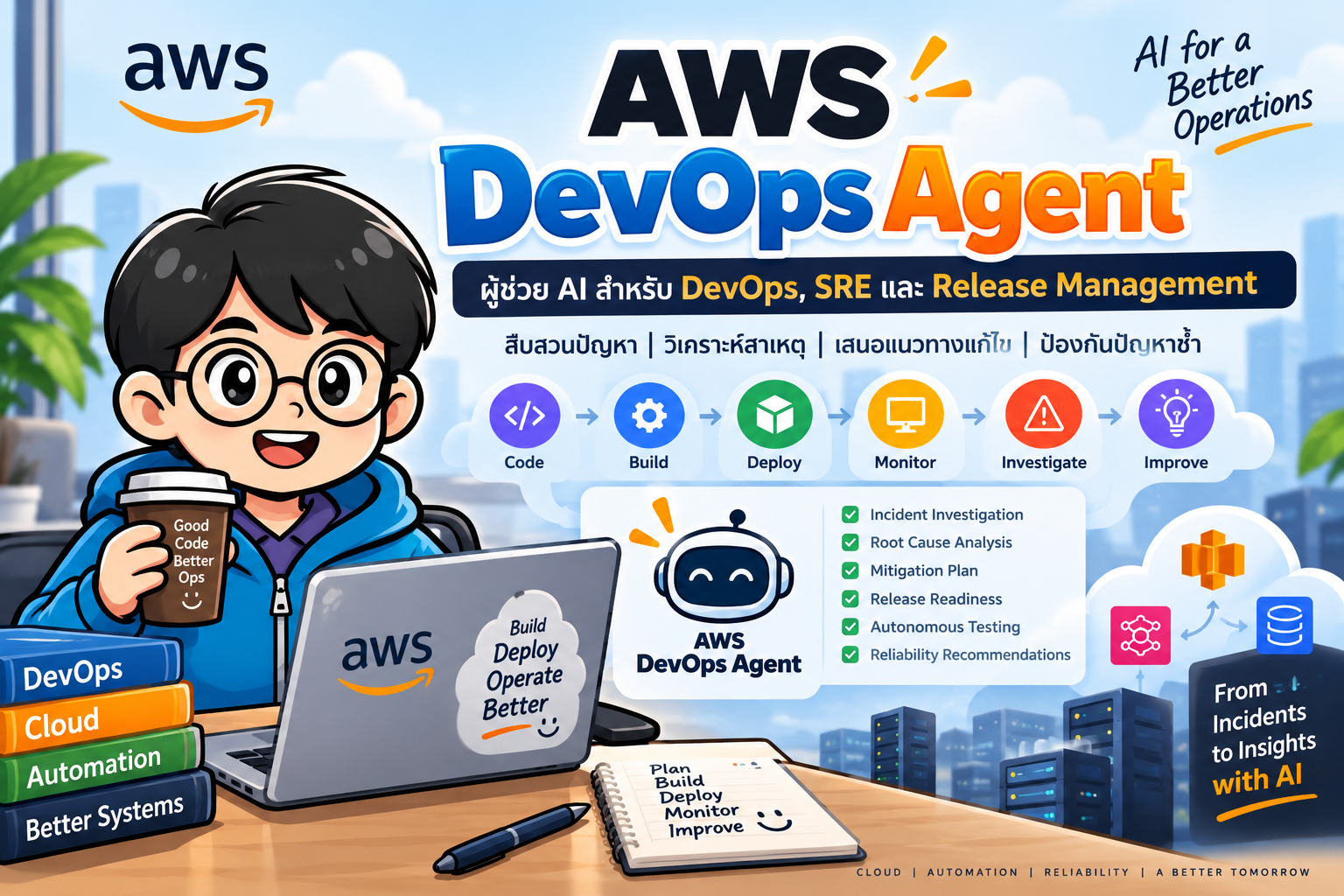
AWS DevOps Agent คือ AI-powered agent จาก AWS ที่ออกแบบมาให้ทำงานร่วมกับทีม DevOps และ SRE ตลอด Software Delivery Lifecycle ตั้งแต่การตรวจสอบความพร้อมก่อน release ไปจนถึงการสืบสวน incident หลังระบบขึ้น Production
สถานะ ณ กันยายน 2026: Production Operations เปิดใช้งานทั่วไป (GA) ขณะที่ Release Management ซึ่งประกอบด้วย Release Readiness และ Release Testing ยังอยู่ใน Preview
#1. ทำไมต้องมี AWS DevOps Agent
ระบบ Cloud-Native สมัยใหม่มักประกอบด้วยหลายบริการ เช่น EC2, ECS/EKS, Lambda, RDS, API Gateway, Load Balancer และระบบ CI/CD เมื่อเกิดปัญหา วิศวกรต้องเชื่อมโยงข้อมูลจากหลายแหล่ง เช่น Metrics, Logs, Deployment history, Source code และ Service dependencies
AWS DevOps Agent เข้ามาช่วยทำ correlation ระหว่างข้อมูลเหล่านี้ และใช้ความเข้าใจเกี่ยวกับ topology ของระบบเพื่อช่วยตอบคำถาม เช่น
- Service ใดกำลังมีปัญหา?
- มี deployment อะไรเกิดขึ้นก่อน incident?
- Resource ใดได้รับผลกระทบ?
- Root cause ที่พบจากหลักฐานคืออะไร?
- ควรแก้ไขหรือ mitigate อย่างไร?
- มีแนวทางใดช่วยลดโอกาสเกิดปัญหาซ้ำ?
#2. สถาปัตยกรรมแนวคิด
Users / DevOps / SRE
          |
          v
+--------------------------+
|     AWS DevOps Agent     |
+--------------------------+
   |       |       |      |
   v       v       v      v
Topology  Logs   Metrics  Code
   |       |       |      |
   +-------+-------+------+
           |
           v
     Investigation
           |
     +-----+------+
     |            |
     v            v
 Root Cause    Mitigation
     |
     v
 Recommendations
Agent เรียนรู้ resource และความสัมพันธ์ระหว่าง resource พร้อมทำงานกับ observability tools, code repositories และ CI/CD pipelines เพื่อเชื่อมโยง telemetry, code และ deployment data
#3. Agent Space คืออะไร
Agent Space เป็นขอบเขตการทำงานของ AWS DevOps Agent โดยกำหนดว่า Agent สามารถเข้าถึง infrastructure และ tools ใดผ่าน IAM roles และ integrations
ตัวอย่าง:
Agent Space: E-Commerce
|
+-- AWS Production Account
+-- GitHub repositories
+-- CI/CD pipeline
+-- CloudWatch
+-- Datadog
+-- PagerDuty
องค์กรสามารถสร้างหลาย Agent Spaces ตาม team boundary หรือ service boundary ได้ และ Agent Space สามารถตรวจ workload ข้าม AWS Region ได้ โดยข้อมูล investigation/topology/recommendation จะถูกเก็บใน Region ที่สร้าง Agent Space
#4. Production Operations
Production Operations เน้นการดูแลระบบหลัง deploy แล้ว โดย Agent สามารถช่วยทำงาน SRE เช่น
- ตรวจสอบ resource health
- วิเคราะห์ incident
- เชื่อมโยง telemetry กับ deployment
- วิเคราะห์ root cause
- เสนอ mitigation
- วิเคราะห์ incident ในอดีต
- เสนอ reliability improvements
- สร้าง AWS Support case พร้อม investigation context
ตัวอย่างสถานการณ์:
Deployment v2.4
      |
      v
API latency increases
      |
      v
CloudWatch Alarm
      |
      v
AWS DevOps Agent
      |
      +--> Check topology
      +--> Check metrics
      +--> Check logs
      +--> Check recent deployment
      +--> Check dependencies
      |
      v
Root Cause Analysis
      |
      v
Mitigation / Recommendation
#5. Incident Investigation
เมื่อเกิด incident เราสามารถใช้ Agent ช่วยสืบสวนแทนการเปิดหลาย console ด้วยตนเอง
ตัวอย่างคำถาม:
Investigate why checkout-api latency increased during the last deployment.
หรือ
What changed before the database connection errors started?
แนวคิด workflow:
Alert
  |
  v
Triage
  |
  v
Investigation
  |
  +--> Metrics
  +--> Logs
  +--> Topology
  +--> Deployments
  +--> Code / Pipeline
  |
  v
Evidence
  |
  v
Root Cause
  |
  v
Mitigation
ควรให้มนุษย์ตรวจสอบหลักฐานและผลกระทบก่อนดำเนินการเปลี่ยนแปลง Production โดยเฉพาะ action ที่มี blast radius สูง
#6. Release Management
Release Management เป็นความสามารถ Preview ที่ทำหน้าที่เป็น automated validation layer ระหว่าง code generation กับ production deployment
มีสองส่วนสำคัญ:
#6.1 Release Readiness Code Review
Agent ตรวจ code changes โดยพิจารณา
- Internal standards
- Cross-repository dependencies
- Access control
- Infrastructure changes
- Potential breaking changes
- Architecture context
แตกต่างจาก static analysis แบบทั่วไปตรงที่ Agent ใช้ความเข้าใจเกี่ยวกับ application architecture และ dependency graph มาประกอบการ review
Workflow:
Developer
   |
   v
Pull Request
   |
   v
AWS DevOps Agent
   |
   +--> Standards
   +--> Dependencies
   +--> Permissions
   +--> Architecture
   |
   v
Release Readiness Findings
สามารถตั้งให้ review อัตโนมัติเมื่อ GitHub Pull Request หรือ GitLab Merge Request ถูกสร้างหรือแก้ไขได้
#6.2 Release Testing
Release Testing สามารถสร้าง test plan และ execute tests กับ application ที่ deploy ใน environment สำหรับทดสอบ
รองรับหลัก ๆ คือ
- Browser-based UI testing
- REST API testing
- Functional regression
- User journey validation
- Integration testing
- Edge-case exploration
ตัวอย่าง:
Code Change
    |
    v
Readiness Review
    |
    v
Deploy to Staging
    |
    v
Release Testing
    |
 +--+----------------+
 |                   |
 v                   v
UI Tests          API Tests
 |                   |
 +---------+---------+
           |
           v
      Test Result
           |
           v
      Release Gate
ข้อควรระวัง: Release Testing สามารถส่งคำขอที่เปลี่ยนแปลงข้อมูล เช่น POST, PUT และ DELETE จึงควรใช้กับ test/staging environment ที่ยอมรับการ mutate ข้อมูลได้ ไม่ควรชี้ไป Production โดยไม่ประเมินความเสี่ยง
#7. เชื่อมกับ CI/CD
Release Management สามารถเข้ามาอยู่ใน workflow ของ GitHub/GitLab ได้
ตัวอย่างแนวคิด GitHub Actions:
name: Release Pipeline

on:
  pull_request:
  push:
    branches: [main]

jobs:
  build:
    runs-on: ubuntu-latest
    steps:
      - uses: actions/checkout@v4

      - name: Build and Test
        run: |
          echo "Run unit/integration tests"

  deploy-staging:
    needs: build
    runs-on: ubuntu-latest
    steps:
      - name: Deploy
        run: |
          echo "Deploy application to staging"

  release-validation:
    needs: deploy-staging
    runs-on: ubuntu-latest
    steps:
      - name: Trigger AWS DevOps Agent release testing
        run: |
          echo "Trigger the configured DevOps Agent integration"
ในการใช้งานจริงควรใช้ integration/action และ webhook configuration ตามเอกสาร AWS รุ่นปัจจุบัน ไม่ควรฝัง credential ลงใน workflow
#8. Agent Instructions
เราสามารถกำหนด instructions ให้ Agent ปฏิบัติตามมาตรฐานขององค์กรได้ เช่น
# DevOps Agent Instructions

## Incident Investigation
- Inspect recent deployments before proposing a root cause.
- Correlate logs, metrics and deployment events.
- Report affected services and AWS Regions.
- Distinguish evidence from hypotheses.

## Security
- Follow least-privilege IAM principles.
- Do not expose credentials or secrets.
- Flag unexpected permission expansion.

## Deployment
- Validate CI/CD status before recommending rollback.
- Every production change must have a rollback strategy.

## Testing
- Run destructive exploratory tests only in approved environments.
AWS DevOps Agent รองรับ instructions ทั้งระดับ global และระดับ agent เช่น Incident triage, Incident RCA, Incident mitigation และ Release testing
#9. Skills
Skills ใช้บรรจุความรู้หรือวิธีปฏิบัติเฉพาะขององค์กร เช่น
Skills
|
+-- Kubernetes troubleshooting
+-- Database incident response
+-- API deployment checklist
+-- Security review
+-- Laravel production checklist
+-- Organization-specific runbooks
Skills จึงช่วยให้ Agent เข้าใจ operational practices ของทีมมากกว่าการใช้ prompt ทั่วไป
#10. เริ่มต้นใช้งาน
ขั้นตอนพื้นฐาน:
AWS Account
   |
   v
Create Agent Space
   |
   v
Configure IAM Role
   |
   v
Associate AWS Account
   |
   v
Enable Operator Web App
   |
   v
Connect Tools / Repositories
   |
   v
Run First Investigation
AWS มีแนวทาง setup ผ่าน Console, AWS CLI, CloudFormation, CDK และ Terraform
#ตรวจ AWS CLI
aws --version
aws sts get-caller-identity
#แนวทางสำหรับ Production
ใช้ IAM แบบ least privilege และแยก monitoring/operations account ตาม governance ขององค์กร หากต้อง monitor หลาย account ให้ใช้ cross-account roles ตามแนวทางของ AWS
#11. Region
เอกสาร AWS ณ กันยายน 2026 ระบุว่า Production Operations รองรับ 6 Region:
- US East (N. Virginia)
- US West (Oregon)
- Asia Pacific (Sydney)
- Asia Pacific (Tokyo)
- Europe (Frankfurt)
- Europe (Ireland)
Release Management Preview ใช้ได้เฉพาะ us-east-1 ในช่วง Preview
#12. ตัวอย่าง Lab สำหรับการอบรม
#Lab 1 — Incident Investigation
สร้าง architecture:
Client
  |
  v
Application Load Balancer
  |
  v
Web/API
  |
  v
Database
จากนั้นสร้าง load หรือจำลอง application error และให้ CloudWatch เก็บ metrics/logs
เป้าหมาย:
- สร้าง Agent Space
- Associate AWS account
- เปิด Operator Web App
- ให้ Agent ตรวจ environment
- จำลอง incident
- เริ่ม investigation
- ตรวจ evidence
- อ่าน RCA
- วิเคราะห์ mitigation
- เปรียบเทียบผลกับการ troubleshoot ด้วยตนเอง
#Lab 2 — Release Management
Developer
   |
   v
GitHub
   |
   v
Pull Request
   |
   v
Release Readiness
   |
   v
CI/CD
   |
   v
Staging
   |
   v
Release Testing
   |
   v
Production
ทดลองสร้าง code change ที่มี API contract change หรือ permission change แล้วดูว่า Agent ตรวจพบ risk ใดบ้าง
#13. แนวทางใช้ร่วมกับ DevOps Toolchain
AWS DevOps Agent ไม่จำเป็นต้องแทนที่เครื่องมือเดิม แต่สามารถวางเป็น intelligence/orchestration layer เหนือ toolchain
              AWS DevOps Agent
                     |
       +-------------+-------------+
       |             |             |
       v             v             v
      Git          CI/CD      Observability
       |             |             |
       v             v             v
   Source Code    Deployment    Telemetry
                     |
                     v
               AWS / Hybrid /
                Multicloud
แนวคิดสำคัญคือเปลี่ยนจาก
Human -> Open dashboards -> Search logs -> Compare metrics
      -> Check deployments -> Form hypothesis -> Fix
เป็น
Human -> Ask Agent
             |
             v
     Correlate evidence
             |
             v
     Investigation/RCA
             |
             v
 Human verifies decision
#14. Security Best Practices
การให้ AI Agent เข้าถึง production infrastructure ต้องให้ความสำคัญกับ governance
- ใช้ least-privilege IAM
- จำกัด Agent Space ตาม team/service boundary
- แยก staging และ production
- หลีกเลี่ยง destructive release tests บน Production
- ตรวจสอบ permissions ของ integrations
- ใช้ secrets management แทน hard-coded credentials
- ตรวจสอบ recommendation ก่อน action ที่มีผลกระทบสูง
- กำหนด Agent Instructions และ Skills ให้ตรงกับ operational policy
- พิจารณา data residency ตอนเลือก Region ของ Agent Space
#15. สรุป
AWS DevOps Agent ขยายแนวคิด DevOps จาก automation ไปสู่ Agentic DevOps โดย AI Agent สามารถเข้าใจ topology, เชื่อมโยง telemetry กับ code/deployment, ช่วย incident investigation และ RCA รวมถึงตรวจ release readiness และทดสอบ release ก่อนขึ้น Production
ภาพรวม lifecycle:
Plan
 |
Code
 |
 v
Release Readiness
 |
 v
Build / Test
 |
 v
Deploy to Staging
 |
 v
Release Testing
 |
 v
Production
 |
 v
Observe
 |
 v
Incident Investigation
 |
 v
Root Cause Analysis
 |
 v
Mitigation
 |
 v
Prevention / Improvement
สำหรับการเรียนการสอน DevOps/SRE หัวข้อนี้เหมาะสำหรับต่อยอดจาก CI/CD, Observability, Incident Management และ Infrastructure as Code ไปสู่ Agentic Operations
#เอกสารอ้างอิง
- AWS DevOps Agent User Guide: https://docs.aws.amazon.com/devopsagent/latest/userguide/about-aws-devops-agent.html
- Getting Started: https://docs.aws.amazon.com/devopsagent/latest/userguide/getting-started-with-aws-devops-agent.html
- Release Management: https://docs.aws.amazon.com/devopsagent/latest/userguide/working-with-devops-agent-release-management-index.html
- Release Testing: https://docs.aws.amazon.com/devopsagent/latest/userguide/release-management-release-testing.html
- Supported Regions: https://docs.aws.amazon.com/devopsagent/latest/userguide/about-aws-devops-agent-supported-regions.html