- สถาปัตยกรรม
- ADK Go Multi-Agent ทำงานอย่างไร
- 1. สิ่งที่ต้องมี
- 2. สร้าง Project
- 3. ตั้งค่า Gemini API Key
- 4. สร้าง Gemini Model
- 5. สร้าง Research Agent
- 6. สร้าง Code Agent
- 7. สร้าง Review Agent
- 8. สร้าง Coordinator Agent
- 9. เพิ่ม ADK Launcher
- 10. โค้ดฉบับสมบูรณ์
- 11. เปิด ADK Web UI
- 12. ทดลอง Multi-Agent
- 13. Agent Mode ที่ควรรู้
- 14. Sequential / Parallel / Graph Workflow ต่างจาก Coordinator อย่างไร
- 15. เพิ่ม Tool ให้ Specialist Agent
- 16. แนวทางออกแบบ Multi-Agent ที่ดี
- 17. Production Considerations
- 18. Architecture ที่แนะนำสำหรับระบบจริง
- 19. สรุป
Google Agent Development Kit (ADK) คือ framework แบบ code-first สำหรับสร้าง AI Agent และ Multi-Agent System โดยสามารถกำหนด Agent, Tool, Workflow, Session และการประสานงานระหว่าง Agent ผ่านโค้ดได้โดยตรง
สำหรับภาษา Go ปัจจุบัน ADK Go 2.x รองรับการสร้าง Multi-Agent โดยตรง รวมถึงแนวคิดแบบ Coordinator + Sub-agents, workflow แบบลำดับ/ขนาน และ graph-based workflow
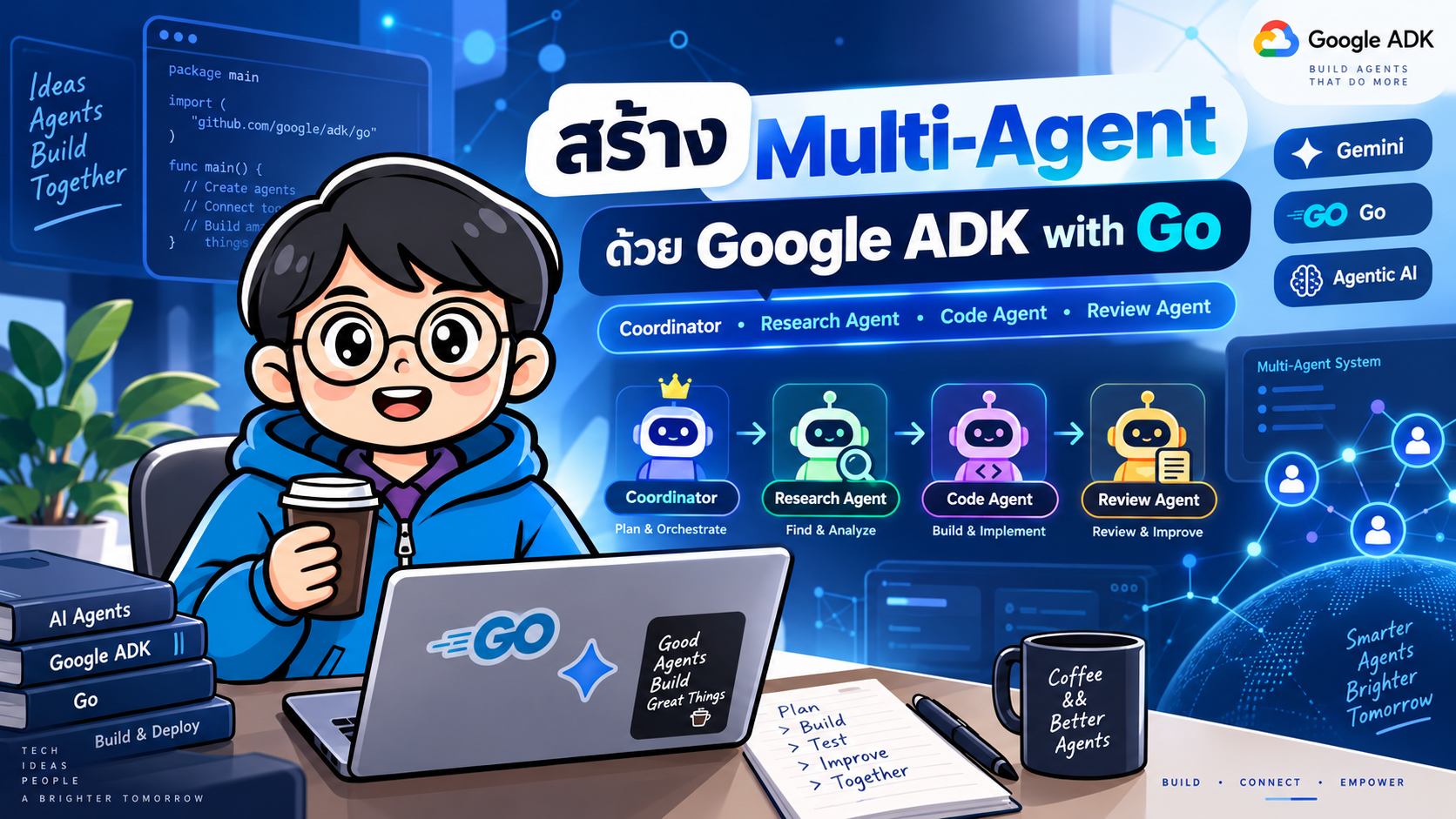
บทความนี้จะสร้างตัวอย่าง Multi-Agent สำหรับช่วยงานพัฒนาซอฟต์แวร์ โดยมี Agent 4 ตัว
coordinator— รับคำถามจากผู้ใช้และตัดสินใจว่าจะส่งงานให้ Agent ใดresearch_agent— วิเคราะห์ข้อมูล แนวคิด และ trade-offcode_agent— ออกแบบและเขียนโค้ด Goreview_agent— ตรวจสอบ correctness, security, maintainability และ test
#สถาปัตยกรรม
flowchart TD
    U[User] --> C[Coordinator Agent]

    C -->|delegate| R[Research Agent]
    C -->|delegate| D[Code Agent]
    C -->|delegate| V[Review Agent]

    R --> C
    D --> C
    V --> C

    C --> F[Final Answer]
    F --> U
แนวคิดสำคัญคือ Coordinator ไม่จำเป็นต้องทำทุกอย่างเอง แต่ให้ Agent ที่เชี่ยวชาญแต่ละด้านรับผิดชอบงานย่อย แล้วนำผลลัพธ์กลับมาสังเคราะห์เป็นคำตอบสุดท้าย
#ADK Go Multi-Agent ทำงานอย่างไร
ใน ADK Go เราสามารถกำหนด Agent ลูกผ่าน SubAgents
SubAgents: []agent.Agent{
    researchAgent,
    codeAgent,
    reviewAgent,
}
เมื่อ Specialist Agent ถูกกำหนดเป็น single_turn ADK จะทำให้ Coordinator สามารถเรียก Agent นั้นในลักษณะ delegation tool ได้โดยอัตโนมัติ
แนวทางนี้เหมาะกับ Agent ที่ควร
- รับงานเฉพาะหนึ่งงาน
- ทำงานให้เสร็จภายใน delegation ครั้งนั้น
- ส่งผลกลับ Coordinator
- ไม่ต้องสนทนากับผู้ใช้โดยตรง
#1. สิ่งที่ต้องมี
สำหรับ ADK Go 2.x ควรใช้
- Go 1.25 หรือใหม่กว่า
- Google ADK for Go v2
- Gemini API Key หรือการตั้งค่า Google Cloud/Vertex AI ตาม environment ที่เลือกใช้
ตรวจสอบ Go
go version
#2. สร้าง Project
mkdir adk-go-multi-agent
cd adk-go-multi-agent

go mod init example.com/adk-go-multi-agent
ติดตั้ง ADK
go get google.golang.org/adk/v2
go mod tidy
โครงสร้างเริ่มต้น
adk-go-multi-agent/
├── go.mod
├── go.sum
└── main.go
#3. ตั้งค่า Gemini API Key
macOS / Linux
export GOOGLE_API_KEY="YOUR_API_KEY"
PowerShell
$env:GOOGLE_API_KEY="YOUR_API_KEY"
ไม่ควร hard-code API Key ลงใน source code และไม่ควร commit key ขึ้น Git repository
#4. สร้าง Gemini Model
ใน main.go
package main

import (
    "context"
    "log"
    "os"

    "google.golang.org/adk/v2/agent"
    "google.golang.org/adk/v2/agent/llmagent"
    "google.golang.org/adk/v2/cmd/launcher"
    "google.golang.org/adk/v2/cmd/launcher/full"
    "google.golang.org/adk/v2/model/gemini"
    "google.golang.org/genai"
)

func main() {
    ctx := context.Background()

    model, err := gemini.NewModel(
        ctx,
        "gemini-flash-latest",
        &genai.ClientConfig{
            APIKey: os.Getenv("GOOGLE_API_KEY"),
        },
    )
    if err != nil {
        log.Fatalf("create model: %v", err)
    }

    _ = model
}
ตัวอย่างนี้ใช้ gemini-flash-latest เพื่อให้ตัวอย่างไม่ผูกกับรุ่นย่อยเฉพาะมากเกินไป
#5. สร้าง Research Agent
researchAgent, err := llmagent.New(llmagent.Config{
    Name:        "research_agent",
    Description: "Researches the topic and returns concise facts and trade-offs.",
    Model:       model,
    Mode:        llmagent.ModeSingleTurn,
    Instruction: `
You are a research specialist.

Analyze the delegated topic and return:
- important facts
- assumptions
- alternatives
- trade-offs
- implementation considerations

Do not chat directly with the end user.
Return a concise result to the coordinator.
`,
})
if err != nil {
    log.Fatal(err)
}
ModeSingleTurn เหมาะกับ Agent ที่รับงานย่อยและส่งผลกลับทันที
#6. สร้าง Code Agent
codeAgent, err := llmagent.New(llmagent.Config{
    Name:        "code_agent",
    Description: "Designs implementations and writes idiomatic Go code.",
    Model:       model,
    Mode:        llmagent.ModeSingleTurn,
    Instruction: `
You are a senior Go software engineer.

For the delegated task:
1. design the implementation
2. produce idiomatic Go code
3. explain important design decisions
4. include error handling
5. suggest tests when appropriate

Do not chat directly with the user.
Return the result to the coordinator.
`,
})
if err != nil {
    log.Fatal(err)
}
#7. สร้าง Review Agent
reviewAgent, err := llmagent.New(llmagent.Config{
    Name:        "review_agent",
    Description: "Reviews solutions for correctness, security, tests and maintainability.",
    Model:       model,
    Mode:        llmagent.ModeSingleTurn,
    Instruction: `
You are a software reviewer.

Review the delegated solution for:
- correctness
- security risks
- concurrency issues
- error handling
- maintainability
- missing tests
- unnecessary complexity

Return concrete improvements to the coordinator.
Do not chat directly with the end user.
`,
})
if err != nil {
    log.Fatal(err)
}
#8. สร้าง Coordinator Agent
Coordinator เป็น root agent ที่สนทนากับผู้ใช้
coordinator, err := llmagent.New(llmagent.Config{
    Name:        "coordinator",
    Description: "Coordinates specialist agents and returns the final answer.",
    Model:       model,
    Instruction: `
You are the coordinator of a software engineering agent team.

Analyze the user's request and delegate work when useful.

Use:
- research_agent for concepts, alternatives and trade-offs
- code_agent for implementation and Go code
- review_agent for validating important solutions

For programming tasks:
1. obtain relevant analysis when needed
2. ask code_agent for an implementation
3. use review_agent to inspect important code or architecture
4. synthesize all results into one final answer

Do not expose internal delegation details unless useful.
`,
    SubAgents: []agent.Agent{
        researchAgent,
        codeAgent,
        reviewAgent,
    },
})
if err != nil {
    log.Fatal(err)
}
จุดสำคัญอยู่ที่
SubAgents: []agent.Agent{...}
Coordinator จึงสามารถมอบหมายงานให้ Specialist Agents ได้
#9. เพิ่ม ADK Launcher
config := &launcher.Config{
    AgentLoader: agent.NewSingleLoader(coordinator),
}

l := full.NewLauncher()

if err := l.Execute(ctx, config, os.Args[1:]); err != nil {
    log.Fatalf(
        "run failed: %v\n\n%s",
        err,
        l.CommandLineSyntax(),
    )
}
#10. โค้ดฉบับสมบูรณ์
ไฟล์ main.go
package main

import (
    "context"
    "log"
    "os"

    "google.golang.org/adk/v2/agent"
    "google.golang.org/adk/v2/agent/llmagent"
    "google.golang.org/adk/v2/cmd/launcher"
    "google.golang.org/adk/v2/cmd/launcher/full"
    "google.golang.org/adk/v2/model/gemini"
    "google.golang.org/genai"
)

func main() {
    ctx := context.Background()

    model, err := gemini.NewModel(
        ctx,
        "gemini-flash-latest",
        &genai.ClientConfig{
            APIKey: os.Getenv("GOOGLE_API_KEY"),
        },
    )
    if err != nil {
        log.Fatalf("create model: %v", err)
    }

    researchAgent, err := llmagent.New(llmagent.Config{
        Name:        "research_agent",
        Description: "Researches a topic and returns facts and trade-offs.",
        Model:       model,
        Mode:        llmagent.ModeSingleTurn,
        Instruction: `
You are a research specialist.
Analyze the delegated topic and return facts, assumptions,
alternatives, trade-offs and implementation considerations.
Do not chat directly with the end user.
`,
    })
    if err != nil {
        log.Fatal(err)
    }

    codeAgent, err := llmagent.New(llmagent.Config{
        Name:        "code_agent",
        Description: "Designs implementations and writes idiomatic Go code.",
        Model:       model,
        Mode:        llmagent.ModeSingleTurn,
        Instruction: `
You are a senior Go engineer.
Design the implementation and write idiomatic Go code.
Include error handling, design notes and tests when appropriate.
Do not chat directly with the end user.
`,
    })
    if err != nil {
        log.Fatal(err)
    }

    reviewAgent, err := llmagent.New(llmagent.Config{
        Name:        "review_agent",
        Description: "Reviews correctness, security and maintainability.",
        Model:       model,
        Mode:        llmagent.ModeSingleTurn,
        Instruction: `
You are a software reviewer.
Check correctness, security, concurrency, error handling,
maintainability and missing tests.
Return concrete improvements to the coordinator.
`,
    })
    if err != nil {
        log.Fatal(err)
    }

    coordinator, err := llmagent.New(llmagent.Config{
        Name:        "coordinator",
        Description: "Coordinates specialist agents and returns a final answer.",
        Model:       model,
        Instruction: `
You coordinate a software engineering agent team.

Use research_agent for facts, architecture and trade-offs.
Use code_agent for Go implementations.
Use review_agent to validate important solutions.

For substantial coding requests, delegate relevant work and
then synthesize the specialist results into one clear final answer.
`,
        SubAgents: []agent.Agent{
            researchAgent,
            codeAgent,
            reviewAgent,
        },
    })
    if err != nil {
        log.Fatal(err)
    }

    config := &launcher.Config{
        AgentLoader: agent.NewSingleLoader(coordinator),
    }

    l := full.NewLauncher()

    if err := l.Execute(ctx, config, os.Args[1:]); err != nil {
        log.Fatalf(
            "run failed: %v\n\n%s",
            err,
            l.CommandLineSyntax(),
        )
    }
}
จากนั้น
go mod tidy
go run .
#11. เปิด ADK Web UI
ADK Go ไม่มี standalone adk CLI แบบเดียวกับบาง SDK แต่สามารถฝัง launcher ใน Go application ได้
เมื่อใช้ full.NewLauncher() สามารถเปิด Web UI และ API mode ได้ เช่น
go run . web api webui
โดย development Web UI จะเปิดให้ทดสอบ Agent ผ่าน browser
ADK Web UI เหมาะสำหรับ development/debugging ไม่ควรใช้เป็น production frontend โดยตรง
#12. ทดลอง Multi-Agent
ตัวอย่าง prompt
สร้าง REST API ด้วย Go สำหรับระบบ Todo
ใช้ PostgreSQL
ต้องมี Create, Read, Update, Delete
ช่วยออกแบบโครงสร้าง project และเขียนตัวอย่าง code
พร้อม review ความเสี่ยงด้าน security
Coordinator สามารถตีความงานเป็นลักษณะ
User
  |
  v
Coordinator
  |
  +--> Research Agent
  |      วิเคราะห์ architecture / database / API design
  |
  +--> Code Agent
  |      เขียน Go implementation
  |
  +--> Review Agent
         ตรวจ security / error handling / tests
  |
  v
Coordinator
  |
  v
Final Answer
ไม่ได้หมายความว่าต้องเรียกทุก Agent ทุกครั้ง การตัดสินใจ delegation ขึ้นกับ instruction, description, model และ request
#13. Agent Mode ที่ควรรู้
ADK Go 2.x มี collaboration mode หลักสำหรับ LLM sub-agent เช่น
#chat
Agent สามารถรับการ transfer เพื่อสนทนาต่อกับผู้ใช้
เหมาะกับ
- customer support specialist
- finance assistant
- travel specialist
- agent ที่ต้องถามตอบหลายรอบ
#task
Agent ทำภารกิจหนึ่งให้เสร็จ สามารถถามผู้ใช้เพื่อขอข้อมูลเพิ่ม และเมื่อทำงานเสร็จจะคืน control ให้ parent
เหมาะกับงานที่ต้องมี clarification ระหว่างทาง
#single_turn
Agent ทำงานแบบ isolated task และส่งผลกลับ parent
Mode: llmagent.ModeSingleTurn
เหมาะกับ
- analyzer
- classifier
- translator
- code reviewer
- summarizer
- extraction agent
- independent specialist
สำหรับ architecture ในบทความนี้ single_turn เป็นตัวเลือกที่เข้าใจง่ายและควบคุมขอบเขตได้ดี
#14. Sequential / Parallel / Graph Workflow ต่างจาก Coordinator อย่างไร
Multi-Agent มีสองแนวทางใหญ่
#LLM-driven orchestration
Coordinator
   |
   +--> Agent A
   +--> Agent B
   +--> Agent C
LLM เป็นผู้ตัดสินใจว่าจะเรียกใคร
เหมาะกับงานที่เส้นทางเปลี่ยนตามคำถาม
#Deterministic workflow
Agent A
  |
  v
Agent B
  |
  v
Agent C
หรือ
          +--> Agent A --+
Input ----+--> Agent B --+--> Aggregate
          +--> Agent C --+
เหมาะกับ pipeline ที่ต้องการลำดับชัดเจนและ reproducible
ADK Go รองรับ workflow agent และใน 2.x มี graph-based workflow primitives เพิ่มขึ้นด้วย
#15. เพิ่ม Tool ให้ Specialist Agent
Agent จะมีประโยชน์มากขึ้นเมื่อสามารถเรียก Tool ได้ เช่น
- database
- REST API
- internal service
- Google Search
- MCP server
- vector database
- calculator
- business API
แนวคิด
Coordinator
   |
   +--> Research Agent
   |      |
   |      +--> Search Tool
   |
   +--> Code Agent
   |      |
   |      +--> Repository Tool
   |
   +--> Review Agent
          |
          +--> Static Analysis Tool
การแบ่ง Agent และ Tool แยกจากกันช่วยให้ responsibility ชัดเจนขึ้น
#16. แนวทางออกแบบ Multi-Agent ที่ดี
#Agent แต่ละตัวควรมีหน้าที่ชัดเจน
ไม่ควรให้ทุก Agent มี prompt กว้างเหมือนกัน
ไม่ดี
Agent A: ช่วยทำทุกอย่าง
Agent B: ช่วยทำทุกอย่าง
Agent C: ช่วยทำทุกอย่าง
ดีกว่า
Research Agent -> วิเคราะห์ข้อมูล
Code Agent     -> implementation
Review Agent   -> verification
#เขียน Description ให้ Coordinator เลือก Agent ได้ง่าย
ตัวอย่าง
Description: "Reviews Go code for correctness, security and maintainability."
ดีกว่า
Description: "Helpful AI agent."
#Instruction ต้องกำหนด contract
เช่น
Return:
1. findings
2. risks
3. recommendations
จะทำให้ผลจาก Agent นำไปสังเคราะห์ต่อได้ง่าย
#อย่าเพิ่ม Agent โดยไม่มีเหตุผล
Multi-Agent ไม่ได้ดีกว่า Single Agent เสมอไป
ควรใช้เมื่อ
- งานแบ่งเป็น domain ได้จริง
- แต่ละ Agent ต้องใช้ prompt/tool/context ต่างกัน
- ต้อง review หรือ verify ข้าม Agent
- ต้องทำ parallelizable subtasks
- ต้องควบคุม responsibility
ถ้างานง่าย การใช้ Agent ตัวเดียวมักเร็วกว่า ถูกกว่า และ debug ง่ายกว่า
#17. Production Considerations
ก่อนนำขึ้น production ควรพิจารณา
#Logging และ observability
ควรเก็บ
- agent name
- request ID
- session ID
- tool calls
- latency
- token usage
- error
- delegation path
#Timeout
Agent และ Tool ทุกตัวควรมี timeout
#Retry
Retry เฉพาะ operation ที่เหมาะสม และใช้ backoff
#Session
อย่าใช้ in-memory session service สำหรับ production ที่ต้องการ persistence
#Security
อย่าส่ง secret หรือข้อมูลที่ไม่จำเป็นเข้า LLM
#Tool authorization
Agent ไม่ควรมีสิทธิ์เรียก Tool เกินกว่าหน้าที่
#Evaluation
สร้างชุด prompt เพื่อวัด
- task success
- delegation correctness
- factual correctness
- latency
- cost
- tool success rate
#Concurrency testing
หากออกแบบให้ Agent fan-out แบบ parallel ควรรัน
go test -race ./...
และตรวจ release notes / issue tracker ของ ADK Go เวอร์ชันที่ใช้งาน โดยเฉพาะเมื่อมี concurrent dispatch ไปยัง Agent instance เดียวกัน
#18. Architecture ที่แนะนำสำหรับระบบจริง
                   +----------------------+
                   |      Client/UI       |
                   +----------+-----------+
                              |
                              v
                   +----------------------+
                   |     API Gateway      |
                   +----------+-----------+
                              |
                              v
                   +----------------------+
                   |  Coordinator Agent   |
                   +----------+-----------+
                              |
             +----------------+----------------+
             |                |                |
             v                v                v
      +-------------+   +-------------+   +-------------+
      | Research    |   | Coding      |   | Review      |
      | Agent       |   | Agent       |   | Agent       |
      +------+------+   +------+------+   +------+------+
             |                 |                 |
             v                 v                 v
        Search/API        Repo/Tools       Analysis Tools
             \                 |                 /
              +----------------+----------------+
                               |
                               v
                   +----------------------+
                   |  Session / State     |
                   +----------------------+
                               |
                               v
                   +----------------------+
                   | Observability / Eval |
                   +----------------------+
#19. สรุป
การสร้าง Multi-Agent ด้วย Google ADK และ Go สามารถเริ่มจาก pattern ที่เข้าใจง่ายคือ
Coordinator
   |
   +--> Research Agent
   +--> Code Agent
   +--> Review Agent
หัวใจของระบบไม่ได้อยู่ที่จำนวน Agent แต่อยู่ที่การแบ่ง responsibility ให้ชัดเจน
สำหรับ ADK Go สามารถกำหนด Sub-Agent ผ่าน
SubAgents: []agent.Agent{...}
และใช้
Mode: llmagent.ModeSingleTurn
สำหรับ Specialist Agent ที่ควรทำงานแบบ delegated task แล้วส่งผลกลับ Coordinator
เมื่อระบบซับซ้อนขึ้น สามารถต่อยอดไปสู่
- custom tools
- MCP
- structured input/output
- workflow agents
- parallel execution
- graph workflow
- A2A remote agents
- persistent sessions
- evaluation
- observability
- Cloud Run / Google Cloud deployment
ได้ต่อไป
#แหล่งอ้างอิง
- Google ADK Documentation: https://google.github.io/adk-docs/
- ADK Go Quickstart: https://google.github.io/adk-docs/get-started/go/
- ADK Collaborative Agent Teams: https://google.github.io/adk-docs/workflows/collaboration/
- Google ADK Go GitHub: https://github.com/google/adk-go
- Agent2Agent (A2A) with ADK: https://google.github.io/adk-docs/a2a/